
Simple coding, robotics and AI ideas your child can try at home this holiday
A practical plan for Indian parents to make winter break fun and educational with coding, robotics, AI and simple electronics activities, plus tips for balancing screen time.
Introduction
Winter break is a welcome pause from school routines, and for many families in India it also brings a familiar question: how do we keep children curious without filling every day with screens? STEM, short for science, technology, engineering and mathematics, offers a good answer. With a simple plan and a few household items, children can try coding, robotics, AI and basic electronics at home, and still have plenty of time to rest, play and visit family. This guide gives parents a practical, flexible plan you can adapt to your child's age and interests.
Why winter break is a good time for STEM
A break works well for STEM because there is no exam pressure. Children can follow their curiosity, make mistakes and try again, which is how most real learning in science and technology happens.
The aim is not to cover a syllabus. It is to help your child build habits such as asking questions, testing ideas and finishing small projects. Even two or three short sessions a week can make a noticeable difference to confidence, especially if the activities feel like play rather than extra homework.
A simple weekly plan parents can follow
Keep the structure light. A rhythm many families find workable is one theme per day, with sessions of about 30 to 60 minutes depending on age:
Monday: Coding. Try a block-based or beginner coding activity.
Wednesday: Build day. Make something with cardboard, tape, motors or a simple circuit.
Friday: AI explorers. Explore how AI works through a guided, supervised activity.
Weekend: Offline challenge. A puzzle, a science experiment or a family build competition.
Leave the other days free. If your child asks for more, that is a good sign, but avoid turning the holiday into a timetable.
Coding activities for different ages
Ages 6 to 9: Start with block-based tools such as ScratchJr or Scratch, which are free and widely used. Ask your child to animate a character, make it move with arrow keys or tell a short story about a festival or a family trip.
Ages 10 to 13: Move to full Scratch projects like a simple quiz game or a maze. Children who are ready can try beginner Python through free online lessons, writing small programs such as a times-table quiz or a number-guessing game.
Ages 14 and above: Encourage a mini project with a purpose, for example a small program that tracks daily water intake or a basic web page about a hobby. The goal is to finish something, not to learn every feature of a language.
Robotics and simple electronics at home
You do not need an expensive kit to start. A cardboard robot arm with straws and string teaches how joints and levers work. A brush bot, made from a toothbrush head, a small vibration motor and a coin battery, shows how vibration can create movement.
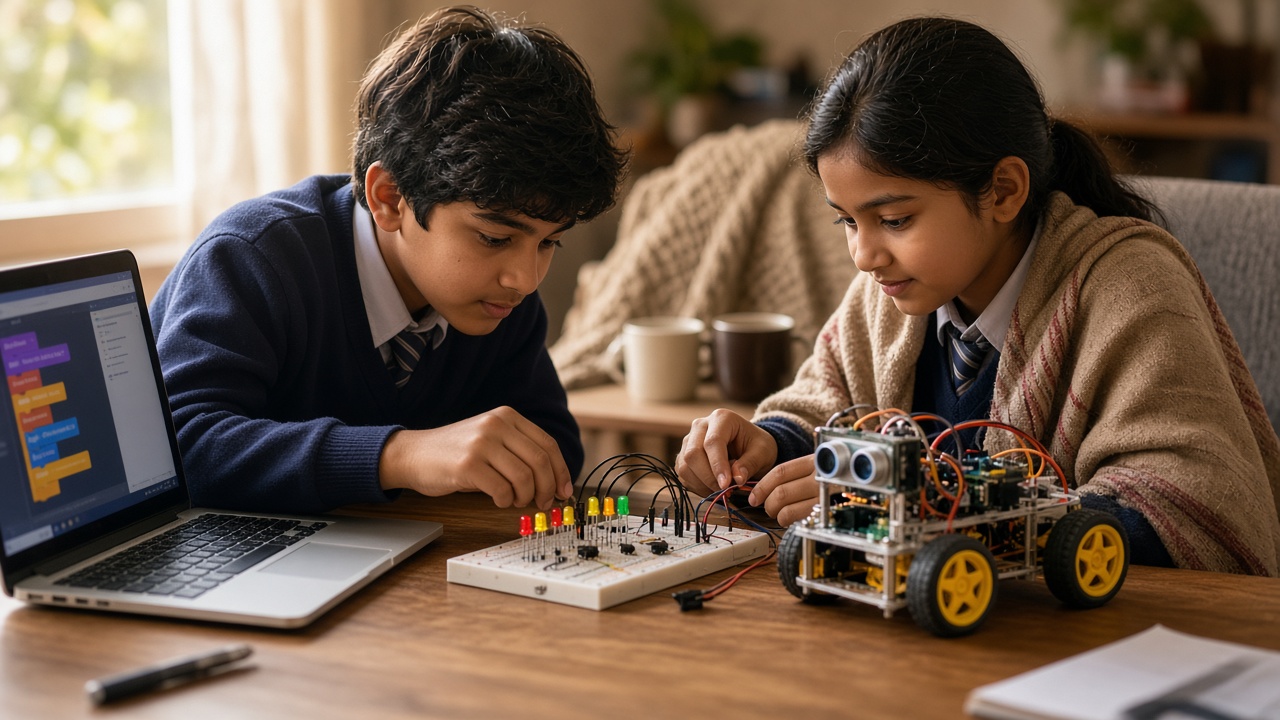
For basic electronics, a beginner kit with LEDs, a battery holder, resistors and a breadboard lets children build a simple circuit and see how current flows. Older children may enjoy a microcontroller board such as an Arduino-compatible or micro:bit board, which can be programmed to blink lights or read a sensor.
Safety matters here. Use low-voltage batteries only, never household mains power. Supervise younger children closely with small parts, coin batteries and tools, and keep batteries away from toddlers.
Exploring AI safely during the break
AI can be a fun topic if it is approached with guidance. Free teaching tools such as Google's Teachable Machine let children train a simple model to recognise hand gestures or objects using a webcam, which shows in a hands-on way how AI learns from examples.
Another idea is a "check the chatbot" activity. With a parent present, ask an AI assistant a question about a topic your child already knows, then compare its answer with a textbook. This helps children see that AI can be useful but can also be wrong.
Always check each tool's age requirements and privacy terms, and remind children never to share personal details such as their full name, school, address or photos.
Balancing screen time with hands-on learning
Many parents worry that tech learning simply adds more screen time. It does not have to. A helpful rule of thumb is to pair every screen session with an offline step: plan a game on paper before coding it, sketch a robot before building it, or explain a project out loud to a grandparent.
Unplugged activities also teach core ideas. Writing step-by-step instructions for making chai is a lesson in algorithms. A treasure hunt with coded clues builds logical thinking. Sorting toys by colour and size is a simple introduction to how computers classify data.
Keep devices in shared family spaces, agree on time limits together, and make room for outdoor play, reading and rest. Balance tends to work better when children help set the rules.
Finish the break with a mini showcase
Toward the end of the holiday, invite your child to choose one project, whether a Scratch game, a cardboard robot or a working LED circuit, and present it to the family. Ask what they made, what went wrong and what they would improve.
This small step builds communication skills and gives children a sense of achievement they can carry back to school.
Frequently asked questions
Q: Does my child need a laptop for these activities? A: Not for all of them. Many builds and unplugged activities need no device, and some beginner coding apps work on tablets. A laptop helps for Scratch projects and Python.
Q: What if my child loses interest quickly? A: Keep sessions short, let them pick topics, and stop while it is still fun. Interest often grows when children see their own ideas working.
Q: Do parents need technical knowledge? A: No. Learning alongside your child is often more motivating than having all the answers. Free tutorials and structured programmes can fill the gaps.
Make this winter break count with SheepByte
SheepByte is an AI and robotics education company based in Udaipur, Rajasthan. Through our AI Learning, Coding Bootcamp, Drone Technology, Innovation Club, Robotics Lab and STEM Integration programmes, we help school students build real skills through hands-on projects with guidance from mentors. We run workshops in Jaipur, Delhi and online, and partner with schools that want structured STEM learning.
If you would like help planning meaningful winter break learning for your child or school, email support@sheepbyte.com or visit sheepbyte.com.


