
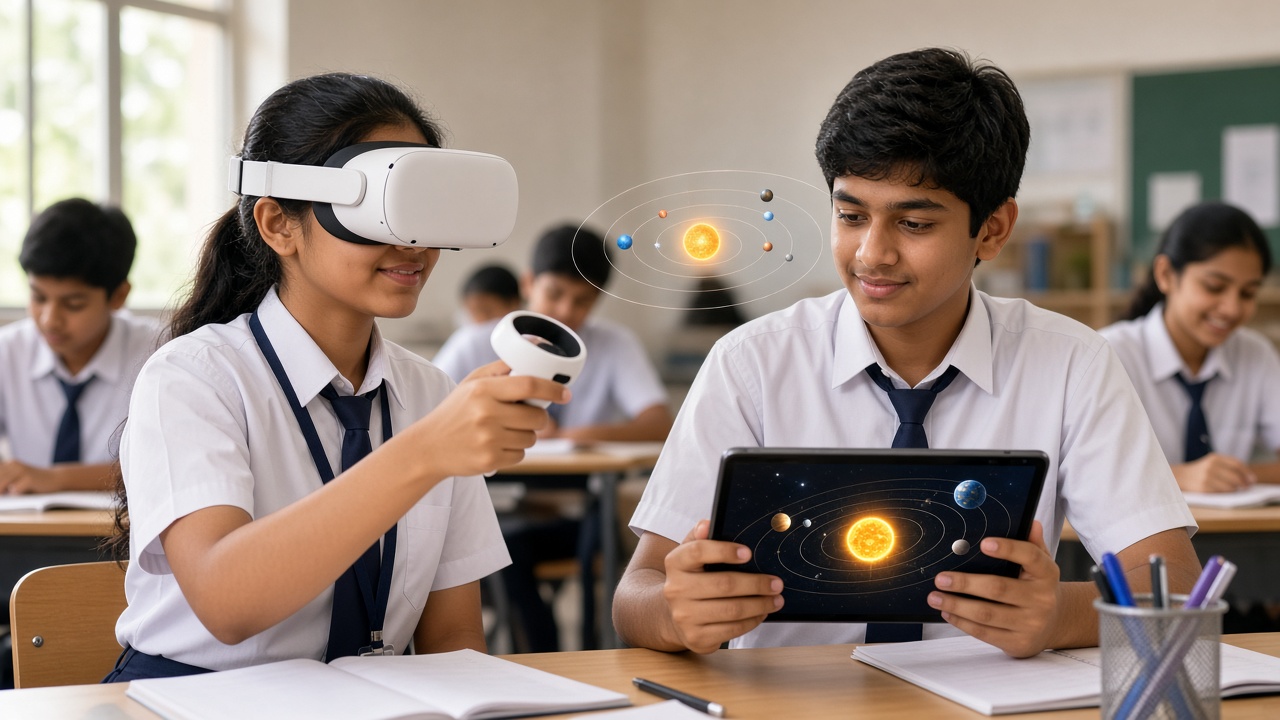
One adds a dinosaur to your classroom floor, the other drops you into the ocean: a plain-language look at AR and VR for students in Classes 6 to 12
A beginner-friendly guide to augmented reality (AR) and virtual reality (VR) for Indian school students, parents and teachers: what AR and VR are, how they differ, where mixed reality fits, everyday examples like phone filters and VR headsets, how cameras, sensors, tracking and 3D models make them work, uses in learning such as virtual field trips and 3D science models, beginner tools like CoSpaces Edu, Blender and Unity, safety and screen-time tips, links to coding, AI and careers, and how schools can introduce it.
Introduction
Point a phone at your desk and a tiger seems to walk across it. Put on a headset and you are standing on Mars. The first is augmented reality, the second is virtual reality, and both are slowly reaching Indian classrooms. This guide explains AR and VR simply for students in Classes 6 to 12, and for the parents and teachers guiding them.
What are AR and VR?
Augmented reality (AR) adds digital things such as pictures, labels or 3D objects on top of the real world. You still see your room, and the extra layer appears through a phone screen, tablet or special glasses.
Virtual reality (VR) does the opposite. It blocks out the real world and puts you inside a world made entirely by a computer. You usually wear a headset that covers your eyes, and when you turn your head, the view turns with you.
An easy way to remember it: AR adds to reality, VR replaces it.
Where does mixed reality fit?
Mixed reality (MR) sits between the two. Digital objects don't just float on top of your room; they seem to understand it. A virtual ball might bounce off your real table or hide behind your real sofa. Some newer headsets can switch between VR and mixed reality.
Everyday examples you may already know
You have probably used AR without calling it that. Face filters that add dog ears or sunglasses on social media apps are AR. So is Pokémon GO, where creatures appear in your street through the phone camera. On many phones, searching for certain animals even lets you place a 3D model of one in your room.
VR examples include headsets like the Meta Quest range, used for games and virtual tours. A cheaper starting point is a cardboard viewer in the style of Google Cardboard, which holds a smartphone in front of two lenses to give a simple VR experience.
How AR and VR work, simply
AR apps use the camera to see the world and sensors such as the gyroscope and accelerometer to sense how the phone is moving. Software spots flat surfaces, edges or faces, then places a 3D model in the right spot and keeps it there as you move. This constant following of position is called tracking.
VR headsets show a slightly different image to each eye, which tricks the brain into seeing depth. Sensors and cameras track your head, and sometimes your hands, many times every second, so the virtual world moves smoothly as you look around. Underneath both are 3D models and code that decides how everything behaves.
How AR and VR can help learning
Some topics are hard to picture from a textbook diagram. AR and VR can help here:
Virtual field trips: visit a coral reef, a rainforest or a historic monument without leaving school. 3D science models: rotate a molecule, a volcano or a working engine and look inside. Anatomy: walk around a beating heart or peel back layers of the human body. Geography and space: fly over mountain ranges or watch planets orbit the Sun.
NEP 2020 encourages experiential learning, and well-planned AR and VR activities can support that. They work best as a short part of a lesson, not a replacement for teachers or real experiments.
How students can start creating
Using AR and VR is fun, but making things teaches far more:
CoSpaces Edu is a platform designed for schools where students build 3D scenes and can add behaviour with block-based coding, then view their work in VR or AR on supported devices. Blender is free, open-source software for making 3D models; it takes practice, but beginner tutorials are easy to find. Unity is a game engine used for many games and AR/VR apps, better suited to older students ready to learn C#.
If you enjoy this, our guide at sheepbyte.com/blog/game-development-school-students-beginners-guide-india covers many of the same skills. And if you like designing 3D objects, you can even print them, as explained at sheepbyte.com/blog/3d-printing-for-school-students-beginners-guide-india.
Safety, comfort and screen time
VR headsets cover your eyes, so you can't see the furniture, walls or people around you. Clear the space first and have someone nearby.
Headset makers set their own minimum age recommendations, and these differ between brands and can change, so check the guidance for the specific device and follow it. Some people feel dizzy or sick in VR, so keep sessions short, take breaks and stop at once if you feel unwell. For AR on phones, watch where you walk and avoid using it near roads. And balance screen time with outdoor play, reading and sleep.
How AR and VR link to coding, AI and careers
Behind every AR filter is code, and often AI. Computer vision, a branch of AI, helps apps recognise faces, hands and surfaces so digital objects land in the right place. AR and VR projects combine programming, 3D design, geometry and storytelling.
These skills connect to careers in game development, 3D design, animation, architecture and medical training. Tools will change, but the habit of building and testing will stay useful.
How schools can introduce AR and VR
Schools don't need a big budget to begin:
Start with phones or tablets: many AR activities run on devices schools may already have. Try cardboard viewers: a low-cost way to let a class sample VR. Link it to the syllabus: pick one chapter, such as the solar system or the human heart, and build one AR or VR activity around it. Let students create: move from watching to building simple 3D scenes. Train teachers first: a short workshop helps them plan safe, focused sessions.
Frequently asked questions
Q: Do I need an expensive headset to try VR? A: No. A smartphone with a cardboard-style viewer is enough for a first taste, and many AR experiences need only a phone.
Q: Is AR or VR better for learning? A: Neither is always better. AR is easier to use in a normal classroom, while VR is more immersive for exploring places and large objects.
Explore AR, VR and coding with SheepByte
SheepByte is an AI and robotics education company based in Udaipur, Rajasthan, working with schools and students. Our programmes include AI Learning, Coding Bootcamp, Drone Technology, Innovation Club, Robotics Lab and STEM Integration, all built around making real projects. We also run workshops in Jaipur, Delhi and online.
To bring hands-on technology learning to your school or help your child get started, write to contact@sheepbyte.com or call or WhatsApp +91 75975 60225.


