
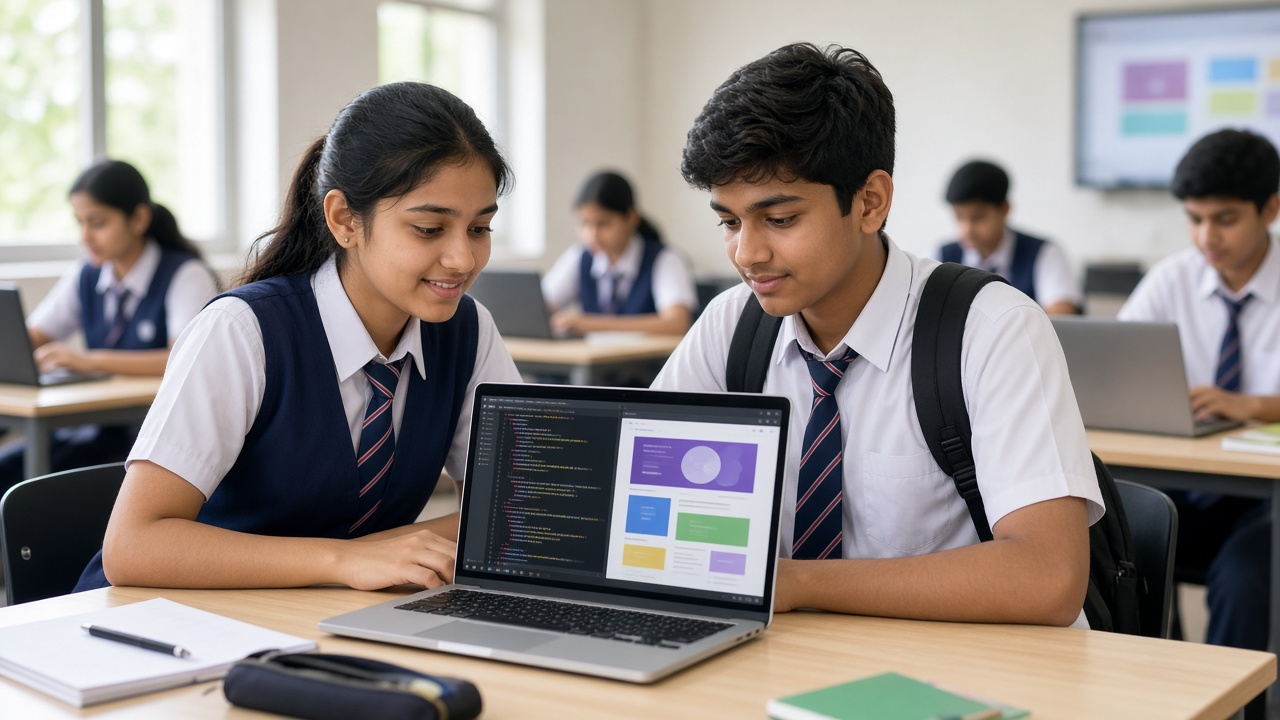
Just a computer, a browser and a free editor: how students in Classes 6 to 12 can build and share their first websites with HTML, CSS and JavaScript
A beginner-friendly guide to web development for Indian school students, parents and teachers: what web development is, how HTML, CSS and JavaScript work together, why it makes a strong first real-world coding skill, the free tools students need, a simple learning path for Classes 6 to 12, beginner project ideas, safety and privacy tips for publishing online, how schools can include it, and how it links to apps, games and AI.
Introduction
Every website you open, including your school's homepage, was built by someone who started with basics a Class 7 student can learn today. That skill is web development. It needs no expensive kit, and the result opens on any phone. This guide is for students in Classes 6 to 12, and the parents and teachers helping them start.
What is web development?
Web development means building websites and web apps, the pages that open in a browser such as Chrome, Edge or Safari. Most web pages are made with three languages working together: HTML, CSS and JavaScript. The browser reads these files and turns them into the page on your screen.
Think of a web page as a house. HTML: the walls and rooms. It tells the browser what each part is, whether a heading, a paragraph, an image or a button. CSS: the paint and furniture. It sets colours, fonts and layout, and how the page looks on a phone versus a laptop. JavaScript: the wiring and switches. It makes things happen when you click or type, like showing a quiz score.
HTML and CSS describe content and style rather than being full programming languages, which is good news for beginners: something appears on screen from the very first line.
Why it makes a good first real-world coding skill
Instant feedback: save the file, refresh the browser and the change is right there. Something to show: a finished page opens on any device, so it's easy to share with family or present in class. Everyday relevance: students use websites daily and already know what a good one feels like. Room to grow: the same basics lead to web apps and online tools. Logic plus creativity: art lovers often enjoy CSS, while puzzle lovers tend to enjoy JavaScript.
What students need to get started
A computer: any working laptop or desktop will do, even an older one. A web browser: every computer already has one. A text editor: Visual Studio Code is a popular free choice, and even the basic editor that comes with the computer works for a first page. Browser-based editors are another option, and many have free plans.
No software to buy, no kit to order. A handy trick: right-click any page and choose Inspect (wording varies by browser) to see the HTML and CSS behind it. Students can even try small edits safely, because changes vanish when the page reloads.
A simple learning path by stage
Every child moves at their own pace, but as a rough guide:
Classes 6 to 8: HTML tags for headings, paragraphs, lists, links and images, then basic CSS for colours and fonts. A single "about me" page is a great first goal. Classes 9 and 10: CSS layouts such as Flexbox, pages that fit mobile screens, and first steps in JavaScript with variables, conditions, functions and button clicks. Classes 11 and 12: multi-page sites, forms, Git for saving versions of code, and fetching data from a free public API, such as a weather service.
Still choosing a first language? See sheepbyte.com/blog/scratch-vs-python-for-kids-which-first.
Beginner project ideas
Small, finished projects teach more than big, half-done ones:
Personal page: hobbies, a favourite book and a drawing you made. School club page: meeting days and upcoming events for the eco or science club. Quiz page: five multiple-choice questions, with JavaScript showing the score. Festival greeting card: a colourful page for Diwali, Eid, Christmas or a friend's birthday. Unit converter: centimetres to inches or Celsius to Fahrenheit. Class timetable: a table that highlights today's periods. Homework to-do list: add tasks and tick them off.
Safety and privacy when publishing online
Anything public on the internet can be seen, copied and saved by anyone, so a few habits matter:
Keep personal details off the page: no home address, phone number or personal photos. A first name or nickname is enough. Ask before sharing others: get permission from friends and the school before posting classmates' photos or names. Publish with an adult: free hosting services such as GitHub Pages need an account, and most platforms set a minimum age, often 13, so younger students should publish through a parent or teacher. Respect copyright: use your own pictures or images clearly marked free to use. Keep secrets out of code: never put passwords in a public project.
More family tips are at sheepbyte.com/blog/cyber-safety-kids-coding-ai-india.
How schools can include web development
A regular computer room is enough. Many school computer syllabi already touch on HTML basics, though details vary by board and class, so teachers should check their current syllabus.
Schools can also run an after-school coding club that ends each term with a mini website showcase (see sheepbyte.com/blog/after-school-coding-club-indian-schools), let students build pages for events like sports day with a teacher reviewing them before anything goes online, and link web pages to other subjects through a history timeline, a Hindi poetry page or a maths quiz.
How it links to apps, AI and other skills
Web skills rarely stay on their own. JavaScript is used in many app-building tools, and the idea of a front end, the part users see, carries straight over to mobile apps. Browser games use the same three languages. Read more at sheepbyte.com/blog/mobile-app-development-school-students-beginners-guide-india and sheepbyte.com/blog/game-development-school-students-beginners-guide-india.
Many AI tools are used through web pages too. A senior student could build a page that shows results from an AI model, or a dashboard for science experiment data. AI assistants can help explain errors, but students learn far more by writing code themselves first.
Frequently asked questions
Q: Is web development too hard for a Class 6 student? A: Not at the start. Basic HTML is mostly plain English words inside angle brackets, and many children make a first page in one sitting.
Q: Should my child learn Python or web development first? A: Either works. Python is great for logic and data, while web development gives quick visual results. Many students learn both.
Start building for the web with SheepByte
SheepByte is an AI and robotics education company based in Udaipur, Rajasthan, working with schools and students. Our programmes include Coding Bootcamp, AI Learning, Robotics Lab, STEM Integration, Innovation Club and Drone Technology, all built around making real projects. We also run workshops in Jaipur, Delhi and online.
To bring hands-on coding to your school or help your child build a first website, write to contact@sheepbyte.com or call or WhatsApp +91 75975 60225.


