
You don't need to be the expert in the room—you need to be the best learner in it
A practical guide for Indian teachers without a tech background on starting coding and robotics—mindset, a first-month plan, managing kits and low-cost ways to upskill.
Introduction
Many teachers in India are being asked to start coding or robotics sessions, often without a computer science background. If you teach science, maths, languages or art and feel unsure, you are not alone. With the right mindset and a gentle start, you can run engaging sessions within a few weeks.
This guide for teachers and principals follows the teacher's journey: how to begin, a first-month plan, managing kits, handling tough questions and growing your own skills.
Why teachers without a CS background can do this well
Beginner coding and robotics is less about advanced programming and more about logical thinking, trial and error and teamwork, which good teachers already guide every day.
You already know how children learn, how to break a big idea into small steps and how to keep a class on track. Students also relate well to a teacher who is visibly learning something new.
Adopt the facilitator mindset
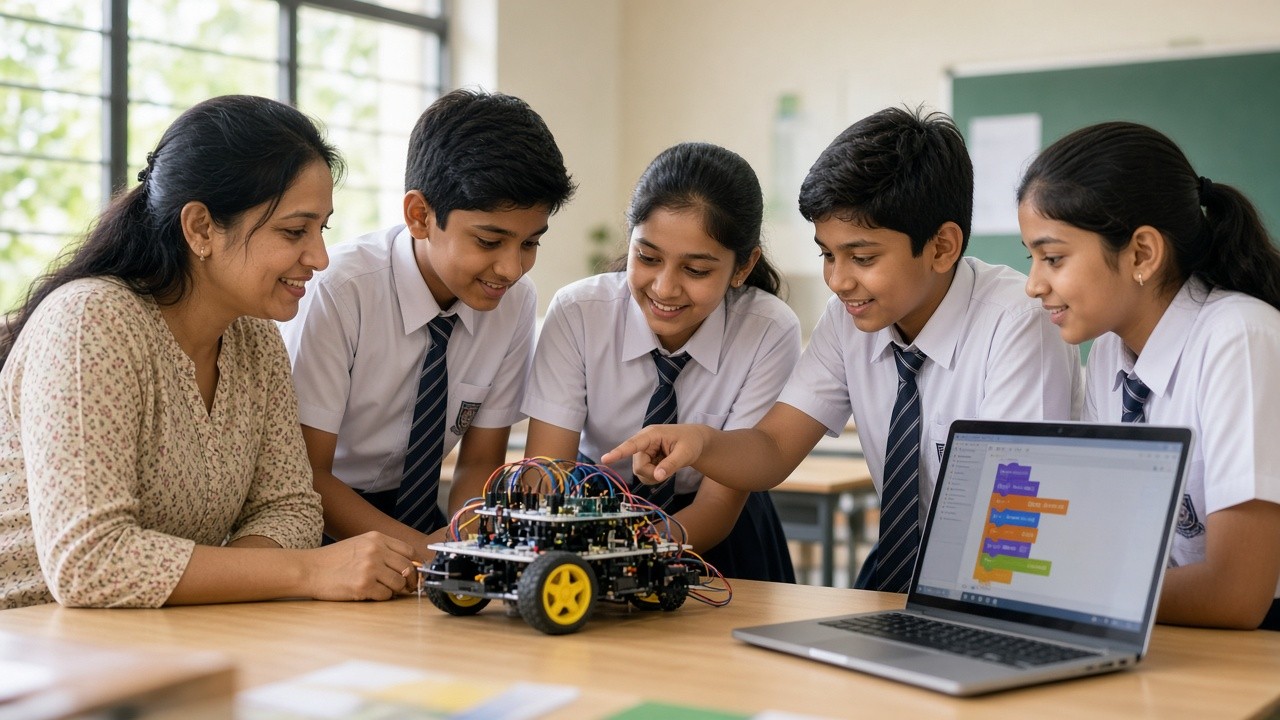
You do not need to be the expert in the room. In a coding or robotics class, your role is closer to a facilitator: you set the challenge, give students time to try, ask good questions and help them reflect.
Learning alongside students is not a weakness; saying "Let's find out together" shows how real problem-solvers work. Instead of fixing a problem for them, try questions such as "What did you expect to happen?", "What changed?" and "What could you test next?"
Start with unplugged activities and block coding
Unplugged activities teach coding ideas without any device. Students can write step-by-step instructions to guide a classmate across a floor grid, or act out a loop. Free resources such as CS Unplugged offer ready-made activities. They need only paper and chalk, and they build your confidence too.
Block coding is the natural next step. In Scratch, a free tool from MIT, students snap together colour-coded blocks to make animations and games, with no syntax to type. For robotics, block-based Arduino tools such as mBlock or the block editor in Tinkercad Circuits let students control LEDs, buzzers and motors by dragging blocks. Tinkercad also simulates circuits online.
A simple first-month plan
Week 1: Unplugged. Run two or three unplugged activities on sequences and instructions.
Week 2: First steps in Scratch. Ask students to make a character move and speak, then introduce loops by making it repeat an action. Try the same project yourself beforehand.
Week 3: A mini-project. Students make a short animated story or simple game linked to a topic they are studying.
Week 4: First hardware or simulation. Use a basic kit or Tinkercad to blink an LED, then make a light pattern. End the month with students showing their work to the class.
Keep each session to a short warm-up, one new idea, plenty of building time and a few minutes of sharing.
Managing a class with robotics kits
Groups and roles. Groups of three or four work well. Rotate roles such as builder, coder, tester and materials manager so everyone participates.
Storage. Give each group a labelled box or zip bag with a parts checklist inside. The materials manager checks the list at the start and end of each class.
Safety. Use low-voltage kits, set clear rules for handling batteries and wires, and keep food and water away from electronics. Teach students to disconnect power before changing a circuit, and follow the rules yourself every time. A simple attention signal, such as a raised hand, keeps lively sessions manageable.
Connect coding and robotics to your own subject
Science teachers can use a temperature or light sensor to collect real data during an experiment. Maths teachers can have students draw shapes in Scratch, which brings angles and repetition to life. Art teachers can guide students to create animations, digital patterns or light-up artwork. Language teachers can use Scratch for interactive storytelling.
When students ask questions you can't answer
Questions you cannot answer are normal. Be honest: "I'm not sure. How could we find out?" Then model a process: check the code step by step, change one thing at a time, read the tool's help pages or search together.
Invite students who find answers to explain them to the class. Keep a "problems we solved" list on the board or in a notebook. It becomes a useful reference for future batches.
Low-cost ways to upskill
Free online courses. Code.org, the Scratch website and Tinkercad offer free tutorials and teacher guides. Government platforms such as DIKSHA may also host relevant courses for teachers.
Peer learning. Pair up with a colleague and try each new activity together before class. A small teacher group that meets fortnightly to share what worked keeps everyone motivated.
School PD. Ask your school to include coding and robotics in its professional development calendar. Hands-on workshops where teachers build the same projects as students tend to be most useful.
Practise little and often. A short weekly session on a small project builds confidence faster than one long training day.
How principals can support teachers
Give interested teachers time to learn and plan, not just extra classes. Start with a few volunteers rather than everyone at once. Provide a few kits and a working projector, and protect the time slot. Celebrate early efforts with a short student showcase, and treat mistakes as part of learning. NEP 2020 encourages coding and computational thinking in school, and many schools are looking for practical ways to help teachers get there.
Frequently asked questions
Q: Do I need to learn programming before I start? A: No. Learning Scratch basics and a few unplugged activities is usually enough to begin.
Q: Which classes should I start with? A: Many teachers find Classes 4 to 8 a comfortable starting point, as block coding and simple kits suit these ages well.
Q: What if my school has only a few kits? A: Rotate stations, or combine kits with free simulators such as Tinkercad Circuits.
Q: How long until I feel confident? A: It varies. Many teachers feel more comfortable after running a few sessions and repeating activities with a new class.
Get support from SheepByte
SheepByte is an AI and robotics education company based in Udaipur, Rajasthan. We work with schools and students through our AI Learning, Coding Bootcamp, Drone Technology, Innovation Club, Robotics Lab and STEM Integration programs. We run workshops in Jaipur, Delhi and online, and help schools set up robotics labs.
If your teachers are just starting out, ask us about workshops and training for school staff, Robotics Lab setup or bringing STEM Integration into everyday subjects. Email support@sheepbyte.com or visit sheepbyte.com.


