
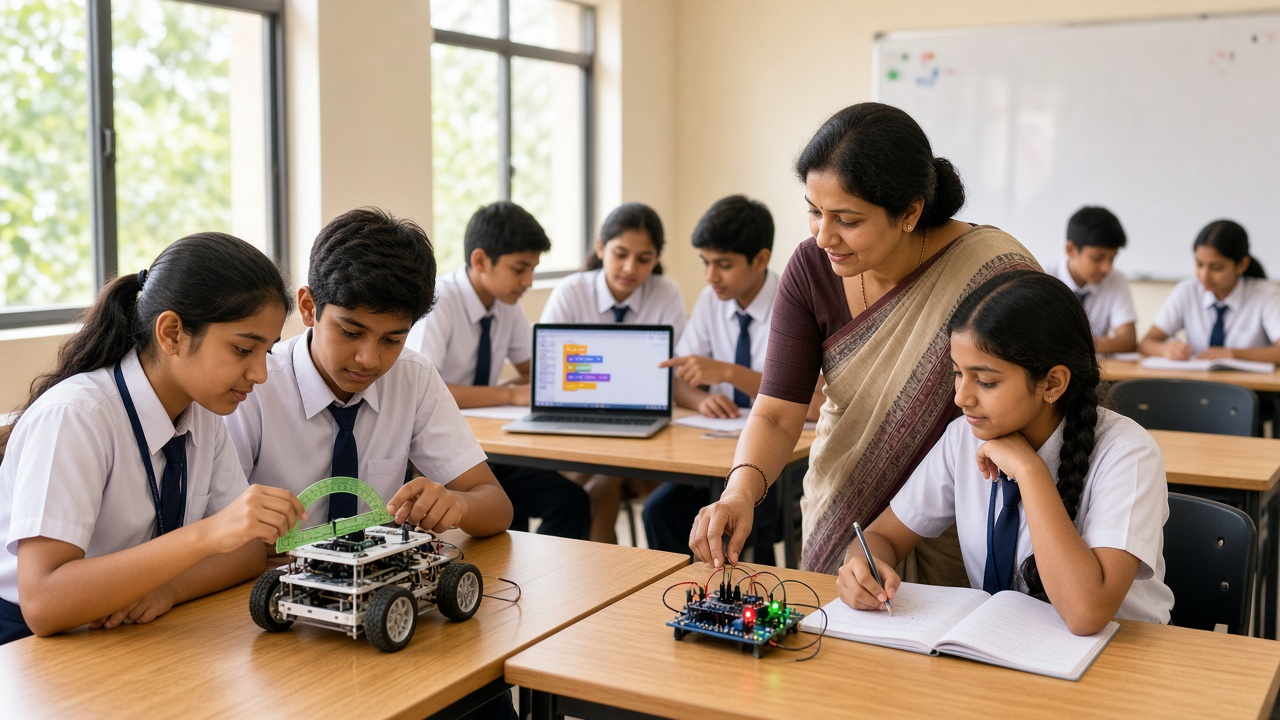
The best STEM lessons teach the subject first and use technology to make it visible
A practical guide for Indian schools to bring coding, robotics and AI into everyday subjects—lesson ideas, a pilot plan, assessment tips and mistakes to avoid.
Introduction
Many schools treat coding and robotics as a separate subject, squeezed into one computer period a week or left to after-school clubs. That approach has value, but it leaves out most students and most teachers. STEM integration takes a different route: it brings small coding, robotics and AI activities into the maths, science, geography, language and art lessons students already attend.
This guide is for principals, academic coordinators and teachers in CBSE and state board schools across Rajasthan and the rest of India. It offers subject-by-subject lesson ideas, a step-by-step way to begin with a single grade, low-cost tools, ways to assess the work, common mistakes and answers to frequent questions.
What STEM integration means in a classroom
STEM integration is not an extra syllabus. It means using technology as a tool to teach a concept that is already in the textbook. A maths teacher might use a short block-based program to show how angles add up in a polygon. A science teacher might use a simple sensor to record temperature changes during an experiment instead of only reading a thermometer.
The subject concept stays at the centre, and the coding or robotics activity helps students see it, test it or apply it. Frameworks such as NEP 2020 encourage experiential, cross-disciplinary learning and early exposure to computational thinking, and integration is one practical way for schools to move in that direction without restructuring the timetable.
Subject-by-subject lesson ideas
Mathematics. Students can program a sprite in Scratch to draw squares, triangles and hexagons, discovering that the turn angle equals 360 divided by the number of sides. Older students can write a short Python program to generate multiplication tables, test whether numbers are prime or plot simple graphs. A robot that moves a measured distance per motor rotation turns ratio and circumference into something students can check on the floor.
Science. A low-cost microcontroller board with light, temperature or soil-moisture sensors lets students collect real data during experiments on plant growth, insulation or evaporation. Instead of copying a results table, they record readings, compare them and discuss why their numbers differ from another group’s. Simple circuits with LEDs and switches support electricity chapters directly.
Geography and social science. Students can build an animated map in Scratch that traces the route of a river or a historical trade path across Rajasthan. A basic weather station made from a board and a few sensors connects to lessons on climate, rainfall and the dry summers students know first-hand.
Languages. Coding supports storytelling. Students can create an interactive story in Hindi, English or a regional language, where characters speak dialogue they have written and the reader chooses what happens next. This practises sequencing, grammar and vocabulary while introducing events, loops and conditions.
Art and design. Programs that repeat shapes with small changes produce patterns similar to rangoli or block-print designs, linking art to symmetry and loops. Students can design a cardboard robot body, decorate it and add a motor or light. A simple image-recognition demo can open a discussion about how computers “see” pictures and why they sometimes get them wrong.
A step-by-step way to start
Pilot one grade. Choose one grade, often Class 6 or 7, where the syllabus is flexible and board pressure is lower. Pick two or three subjects and plan one integrated activity per subject each month. A small, well-run pilot gives you evidence and examples before you expand.
Train teachers first. Subject teachers do not need to become programmers. A few short, hands-on training sessions where they complete the same activities their students will do build confidence quickly. Pair each subject teacher with the computer teacher or an external mentor for the first few lessons so that technical problems do not derail the class.
Use low-cost tools. Free platforms such as Scratch and browser-based Python editors run on existing computer lab machines. A small set of shared microcontroller kits with basic sensors, kept on a trolley and booked by teachers, is usually enough for a pilot. Cardboard, tape and recycled materials cover most design work, so schools rarely need a dedicated lab to begin.
Review and expand. At the end of a term, gather teachers to share what worked, what took too long and which activities students remembered. Keep the strongest lessons, refine the rest and add another grade or subject the next term.
How to assess integrated lessons
Assess the subject concept first. If the lesson was about angles, check whether students understand angles, not just whether the program ran. Then add a light layer for STEM skills: can students explain their program, describe a problem they fixed and suggest an improvement?
Simple rubrics, short reflections, project photos and brief presentations work better than written tests for this kind of learning. Over a term, a portfolio of each student’s builds and explanations gives teachers and parents a clear view of progress.
Common mistakes to avoid
The most common mistake is letting the technology take over the lesson, so students spend the period on setup and never reach the subject concept. Keep activities short and plan setup before class. Another mistake is expecting teachers to integrate without training or support, which usually leads to the activity being quietly dropped.
Schools also sometimes buy expensive kits before deciding which lessons they will support. Plan lessons first, then choose tools. Finally, avoid running integration as a one-time showcase; regular small activities build more skill than an occasional big event.
Frequently asked questions
Q: Does STEM integration need extra periods? A: No. Activities are designed to fit inside existing subject periods, usually taking part of one lesson and directly supporting the chapter being taught.
Q: Can non-computer teachers manage these lessons? A: Yes, with short training and initial support. Most activities use beginner-friendly tools, and the teacher’s subject knowledge matters more than coding expertise.
Q: Is this suitable for state board schools? A: Yes. The ideas connect to core concepts in maths, science, social science and languages that are common across CBSE and state board syllabi.
Bring STEM Integration to your school with SheepByte
SheepByte is an AI and robotics education company based in Udaipur, Rajasthan. Our STEM Integration program helps schools weave coding, robotics and AI into everyday subjects with lesson plans, teacher training and classroom support. We also offer AI Learning, Coding Bootcamp, Drone Technology, Innovation Club and Robotics Lab programs, run workshops in Jaipur, Delhi and online, and support schools with robotics lab setup.
To plan STEM integration for your school, email support@sheepbyte.com or visit sheepbyte.com.


