
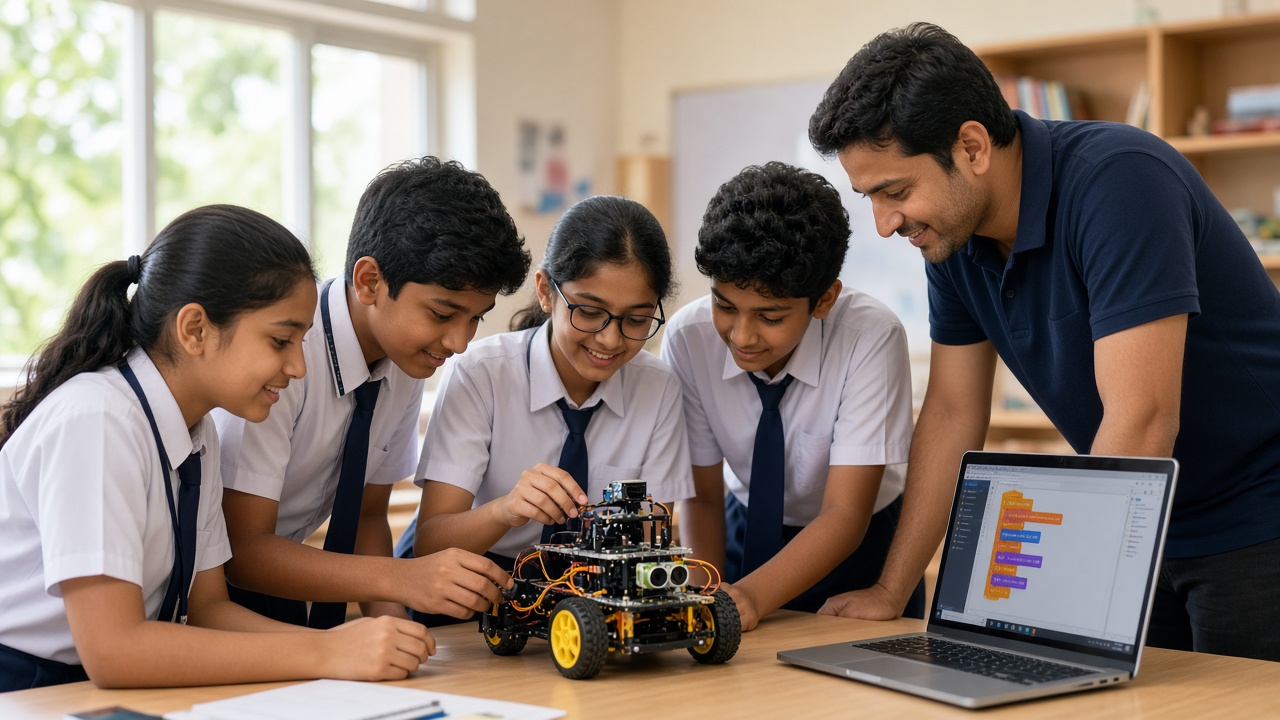
A good workshop is planned around what every student builds, not just what they watch
A practical guide for principals, coordinators and teachers in Rajasthan planning a hands-on robotics or AI workshop—from goals and format to setup, safety and outcomes.
Introduction
A well-run robotics or AI workshop can be the moment a student first sees a motor respond to their own code. A poorly planned one means crowded tables, flat batteries and a lot of watching instead of doing. The difference usually lies in planning, not budget.
This guide is for principals, academic coordinators and teachers in Udaipur, Jaipur, Jodhpur, Ajmer, Kota and other Rajasthan cities who want to host a hands-on workshop. It covers goals, grades and batch size, formats, a space and device checklist, kits and safety, take-home outcomes, teacher involvement, timing, measuring results, and questions to ask a provider.
Start with a clear goal
Decide what the workshop is for before choosing a topic. Is it a first taste of robotics for students who have never touched a sensor? A deeper session for a group already learning to code? A way to spark interest before starting a club or lab?
Write the goal in one sentence, such as “Every Class 7 student builds and programs a simple obstacle-sensing car”. It guides every later choice and gives you something to measure afterwards.
Choose grades and batch size
Match the content to the age group. Younger students in Class 3–5 often do well with block-based coding and simple builds. Class 6–8 students can usually handle microcontroller boards, sensors and basic circuits. Class 9–12 students can go further into Python, AI concepts and small independent projects.
Keep batches small enough that every child gets hands-on time. Students should work in pairs or small groups of three, with one kit per group, rather than one demonstration kit for the whole room. If demand is high, run several batches rather than packing everyone into one hall.
One-day or multi-day format
A one-day workshop of a few hours suits awareness and first exposure. Students can complete one guided build and see it work, which is a strong motivator. The limitation is depth: there is little time to troubleshoot, iterate or let students design something of their own.
A multi-day format, such as two to five sessions across a week, allows a progression from basics to a mini project that students plan themselves. It also leaves time to recover from mistakes, where much real learning happens. Many schools start with a one-day session and follow up with a longer programme for interested students.
Space, power and devices checklist
Walk through the venue a week before. You need flat tables that groups can gather around, not fixed benches in rows. Check that there are enough working power sockets and extension boards, placed so cables do not cross walkways. Good lighting and ventilation matter, especially in warmer months in Rajasthan.
For coding segments, confirm how many laptops or desktops will be available, whether the provider brings devices, and whether any software needs installing in advance. Ask whether the session needs internet. Many robotics activities work offline, but some AI tools require a connection, so test the school Wi-Fi in that room.
Kits and safety
Ask what kit each group will use and whether it is appropriate for the age group. Low-voltage, battery or USB-powered kits are the safer choice for most school settings. Check who supplies spare batteries, cables and components, because a single missing part can stall a group.
Agree on safety rules before the day: no mains-powered experiments by students, adult supervision for any soldering or hot glue, and careful handling of lithium batteries. Keep a first-aid kit nearby and brief students on the rules at the start.
What students should take home
Plan for a visible outcome. Ideally every group finishes with a working build, such as a line-following robot, a light-sensing alarm or a simple image classifier, and can explain how it works. In multi-day formats, add a mini project where students adapt the build to solve a small problem they choose.
Clarify in advance whether kits stay with the school or go home with students, and whether students receive the code, worksheets or certificates. Photos and short videos of each build help with parent communication and future planning.
Involve your teachers
A workshop has more lasting value when teachers participate rather than supervise from the back. Invite science, computer and maths teachers to join groups, learn alongside students and note which activities could connect to their subjects. Frameworks such as NEP 2020 generally encourage experiential learning and early exposure to coding, and teachers who have tried the activities themselves are better placed to continue them in class.
Time it around exams and the school calendar
Avoid the weeks just before unit tests, half-yearly and annual exams, and busy periods such as annual day rehearsals or sports week. Periods after exams, or the gap before a science exhibition, often work well because students are more relaxed and can apply what they learn. Inform parents early and share what students will do.
Measure outcomes
Decide in advance how you will judge success. Simple measures include how many groups completed a working build, a short before-and-after quiz on key concepts, a student feedback form and teacher observations. These results help you decide whether to run a longer programme, start a club or invest in more equipment.
Questions to ask a workshop provider
Ask who will lead the sessions and what experience they have teaching your students’ age group. Request a session-by-session plan and the learning goals for each part. Confirm the trainer-to-student ratio, the kit used, what the school must arrange, and what students take home. Ask how they handle students who finish early or fall behind, and whether they offer follow-up support for teachers.
Frequently asked questions
Q: How many students can attend one workshop? A: It depends on the space, kits and number of trainers. Keeping groups small and ensuring one kit per group matters more than the total headcount.
Q: Do students need prior coding experience? A: No. A good provider adapts the content to the group, starting with guided basics for beginners and offering extensions for those with some experience.
Q: Can a workshop be held online? A: Yes, for coding and AI concepts. Hands-on robotics works best in person, though online sessions can work when students have kits at home or school.
Plan your workshop with SheepByte
SheepByte is an AI and robotics education company based in Udaipur, Rajasthan. Our programmes—AI Learning, Coding Bootcamp, Drone Technology, Innovation Club, Robotics Lab and STEM Integration—help students learn by building real projects. We run workshops in Jaipur, Delhi and online, and support schools with robotics lab setup.
To plan a robotics or AI workshop for your school, email support@sheepbyte.com or visit sheepbyte.com.


