
From dice rollers to quiz apps: mobile app development explained for students, parents and school leaders
A practical beginner's guide to mobile app development for Indian schools: how apps work, frontend and backend in plain words, block-based and text-based tools by age, class projects, safety and privacy, and a checklist for teachers and principals.
Introduction
Most students in India use mobile apps every day for online classes, games, maps, music or paying at a shop with UPI. Far fewer know that they can build an app themselves. Mobile app development teaches students to turn an idea into something that works on a phone. This guide explains what an app is and how it is built, suggests beginner-friendly tools by age, lists project ideas by class level, and covers safety, privacy and how schools can get started.
What is a mobile app, in simple words?
A mobile app is a program designed to run on a smartphone or tablet. Apps are built for an operating system, mainly Android or iOS. A calculator, a dictionary or a school diary app each does a set of jobs when the user taps, types or swipes.
Every app follows the same basic idea: it takes input, processes it with rules written by a programmer, and gives an output. A quiz app takes your answer, checks it against the correct one and shows your score.
How apps are built: frontend and backend
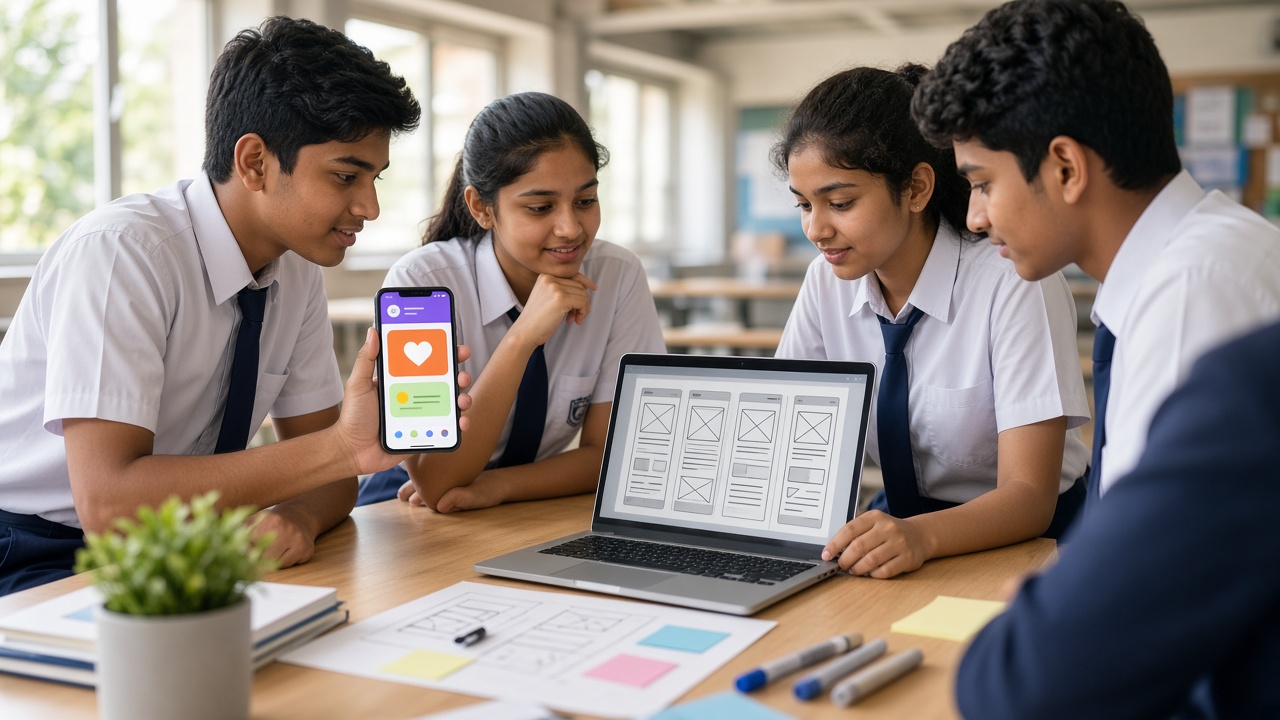
The frontend is the part users see and touch: screens, buttons, text boxes, images and menus. Designing it well means thinking about the user. Is the button big enough? Is the text easy to read?
The backend is the work that happens behind the scenes. It may store data, check logins or send results to other phones through the internet. Many simple student apps need little or no backend, because everything happens on the phone itself.
Building an app usually follows a cycle: plan the idea on paper, design the screens, write the logic, test it on a phone, fix bugs and improve. Professional developers repeat this cycle many times.
Beginner-friendly paths by age
Block-based tools come first. MIT App Inventor, created at MIT and free to use in a web browser, lets students design screens by dragging components and build logic by snapping code blocks together, much like Scratch. Apps can be tested live on a phone using its companion app. Thunkable is another drag-and-drop, block-based builder, and Code.org App Lab lets students build simple apps in the browser, switching between blocks and JavaScript text.
Text-based options come next, usually for older students. Flutter, from Google, uses the Dart language to build apps for Android and iOS from one codebase. React Native, from Meta, uses JavaScript. Native development uses Kotlin in Android Studio for Android, or Swift in Xcode on a Mac for iPhone. These tools are powerful but need patience and a decent computer.
Simple project ideas by class level
Classes 4 to 6: With MIT App Inventor or a similar block tool, make a talking app that speaks typed words aloud, a dice roller, or a flashcard app for spellings or multiplication tables.
Classes 7 to 8: Build a quiz app on a science or history chapter with a score counter, a homework timetable reminder, or a unit converter for length and temperature.
Classes 9 to 12: Try a plant-watering reminder, a simple expense tracker that stores data only on the phone, or a school event guide. Students ready for text-based coding can rebuild one of these in Flutter or Kotlin and compare the experience.
Skills app development builds
App projects build logical thinking, because students must plan every step the app takes. They build design sense, because an app is only useful if people find it easy to use. They also build persistence, since most apps do not work perfectly the first time.
Students practise teamwork when one designs screens and another writes logic, and communication when they explain their app to classmates. These habits connect to computational thinking, design thinking and project-based learning.
Safety and privacy for student app makers
Student apps should not collect personal data such as names, phone numbers, addresses, photos, location or school details. If an app must store something, keep it on the device, keep it minimal and explain clearly what is saved.
Parents should give permission before students create online accounts on app-building platforms, and teachers should check each tool's age requirements. Publishing to Google Play or Apple's App Store involves developer accounts, age rules and review policies, including extra rules for apps aimed at children. These policies change, so check the latest official guidelines, and let a parent or teacher manage any publishing.
How schools can introduce app development
Schools do not need a special lab to begin. A computer lab with a web browser and a few Android phones or tablets for testing is enough for block-based tools. Start with a short after-school club or a few periods inside computer classes.
Link projects to other subjects: a quiz app for science revision, a vocabulary app for Hindi or English, or a maths practice app. NEP 2020 and CBSE materials discuss coding and computational thinking; check the latest official guidelines for your board and class. End each term with an app showcase where students demonstrate their work.
A short checklist for teachers and principals
Choose one block-based tool and try it yourself before teaching. Check device access, internet reliability and the tool's age and account requirements.
Set clear rules: no personal data in student apps, parental permission for accounts, and no public publishing without adult approval.
Plan small projects first, encourage testing and feedback, and keep a simple record of each student's app and what they learned.
Frequently asked questions
Q: Does my child need prior coding experience? A: No. Block-based tools are designed for beginners. Some experience with Scratch helps, but it is not required.
Q: Can students build iPhone apps? A: Some block-based tools support testing on iPhones, but native iOS development with Xcode needs a Mac. Android is often easier to start with because Android phones are widely available.
Q: Should students publish their apps on app stores? A: It is not necessary for learning. Sharing an app within the class is enough at first. If publishing is planned, an adult should handle accounts and follow the latest store policies.
Help students build their first app with SheepByte
SheepByte is an AI and robotics education company based in Udaipur, Rajasthan. Our Coding Bootcamp, AI Learning and STEM Integration programmes help students move from ideas to working projects. We also offer Robotics Lab, Innovation Club and Drone Technology programmes, plus workshops in Jaipur, Delhi and online, and we help schools set up robotics labs.
If you want to explore coding and app-building for your school or child, write to support@sheepbyte.com or visit sheepbyte.com.


