From classroom tablets to homework at home, that invisible Connect button hides a radio network: a plain-language look at how Wi-Fi works, for students in Classes 6 to 12
A beginner-friendly guide to Wi-Fi for Indian school students, parents and teachers: what Wi-Fi is, how routers and devices exchange data with radio waves, 2.4 GHz versus 5 GHz in plain language, what happens when you join a network, how Wi-Fi compares with mobile data and Ethernet, everyday uses in schools and homes, safety habits, a supervised classroom activity and FAQs.
Introduction
You tap Connect on a phone or laptop, and suddenly the screen fills with messages, videos and class notes. That invisible link is Wi-Fi. This guide explains how Wi-Fi works for students in Classes 6 to 12 and the parents and teachers helping them, using plain examples from Indian homes and schools.
What is Wi-Fi?
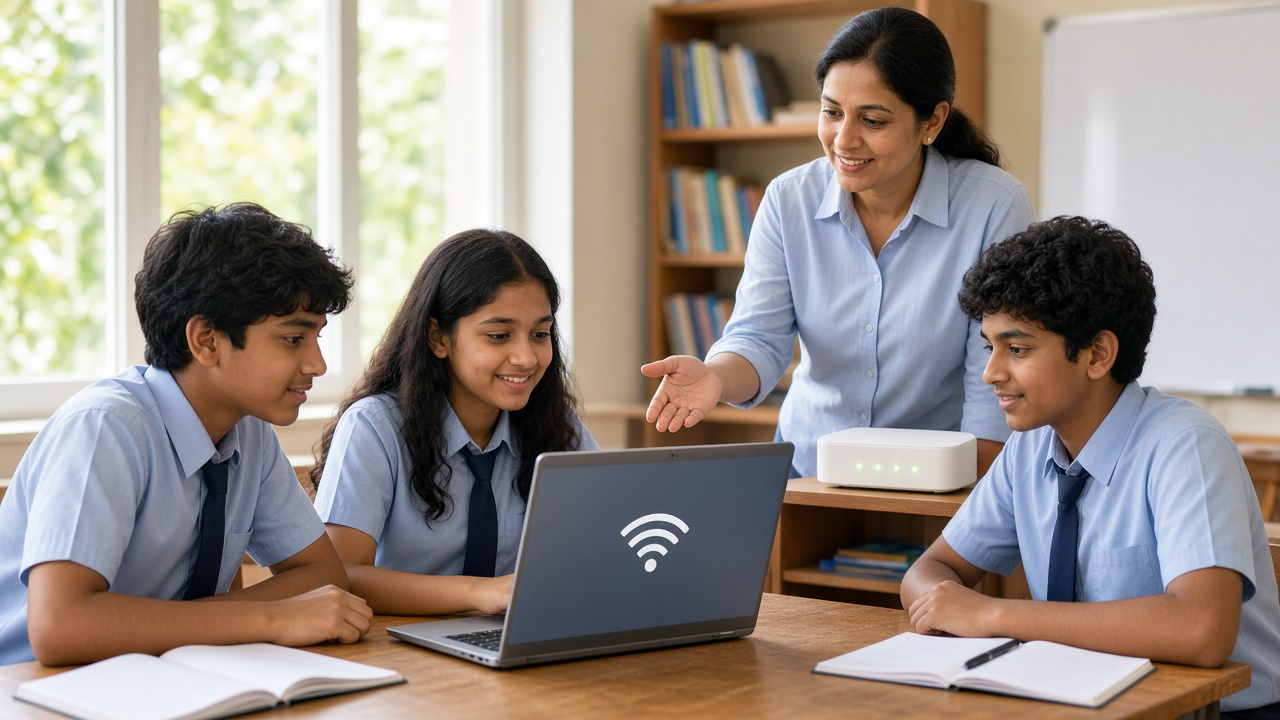
Wi-Fi is a way for devices to join a local network and often the internet using radio waves instead of a cable. People usually mean the wireless network shared by a router at home, school or a café.
Your phone, tablet, laptop or smart board can talk to the router without an Ethernet cable. The router then passes traffic toward the wider internet when that link is available. For what happens after your request leaves the building, see sheepbyte.com/blog/how-does-the-internet-work-guide-school-students-india.
How Wi-Fi sends data
Think of the router as a small radio station inside the building. It sends and receives radio signals, and your device has a Wi-Fi radio too. Together they ex
Those packets are still digital information — patterns of 0s and 1s. A short refresher on binary is at sheepbyte.com/blog/what-is-binary-code-guide-school-students-india. Walls, distance and other nearby networks can weaken the signal, which is why a classroom far from the router may feel slower than one next door.
2.4 GHz and 5 GHz bands in plain language
Wi-Fi commonly uses two popular bands people call 2.4 GHz and 5 GHz. You do not need deep radio science to use them. 2.4 GHz often reaches farther and may work better through walls, but it can get crowded because many devices share it. 5 GHz often feels faster when you are closer to the router, but the range is usually shorter and thick walls matter more.
Many modern routers offer both. Your device may pick one automatically or show two network names. The better choice depends on where you sit and how busy the airwaves are.
What happens when you join a network
Networks have a name called the SSID — what you see in the Wi-Fi list, such as School-Lab or Home-Fibre. A password (when set) helps stop strangers joining.
After you connect, the network usually gives your device a temporary address on that local network, often called an IP address, so data knows where to return. Your device and the router keep exchanging packets; when you open a site, traffic can go out through the school or home internet link and answers come back the same way. Cloud apps often sit on distant servers you reach through that path — see sheepbyte.com/blog/what-is-cloud-computing-guide-school-students-india.
Wi-Fi vs mobile data vs wir
Wi-Fi uses the building's broadband or school connection and your local router. Many devices can share it when the link is healthy. Mobile data uses your SIM and mobile towers; it works on the road without the school password, but usage may count against a data plan and coverage varies. Wired Ethernet uses a cable to a switch or router and is often very steady for lab PCs, though you cannot walk around freely.
Schools may use Wi-Fi for tablets and teacher laptops, Ethernet for fixed labs, and mobile data only when personal hotspots are allowed under school rules.
Everyday uses in Indian schools and homes
At home, Wi-Fi often powers homework research, video classes, smart TVs and shared printers. In many Indian schools it supports digital boards, attendance apps, online assessments, library tools and teacher planning when the campus connection is working.
Labs may keep coding laptops or robotics kits on the campus network under teacher guidance. NEP 2020 encourages digital literacy and technology-rich learning, though what schools provide varies by board, budget and local practice.
Safety and good habits for students
Prefer school or home networks you trust. Avoid entering passwords or doing payments on random free Wi-Fi unless a trusted adult says it is appropriate.
Never share the school Wi-Fi password outside allowed groups. Follow school rules about apps, gaming or personal hotspots during class. Use strong unique passwords for home routers when your family sets them up, keep devices updated when adults ask, and lock your screen so a borrowed laptop does not stay open on the network.
Classroom activity: map the network (with permission)
With your teacher's permission, list the Wi-Fi names visible from different spots in the classroom or lab — without joining unknown networks. Note which school SSIDs appear and how the signal icon changes near windows or far corners.
As a supervised follow-up, the teacher might run a simple speed or range check on a school device near the router and farther away, then discuss why walls and distance matter. Do not guess passwords, join guest networks without approval, or interfere with other devices. The goal is observation and fair testing, not hacking.
Frequently asked questions
Q: Does Wi-Fi use the same radio waves as FM radio? A: Wi-Fi and FM radio both use radio waves, but they sit in different frequency ranges and follow different rules. Your phone is exchanging digital packets with a nearby access point, not listening to a music station.
Q: Why is Wi-Fi slow sometimes even when I am connected? A: Common reasons include distance from the router, thick walls, many devices sharing the link, a busy internet connection, or interference from neighbouring networks. Being connected only means you joined the local network; speed still depends on the whole path.
Q: Is turning Wi-Fi off at night helpful? A: Families sometimes tur
Learn with SheepByte
SheepByte is an AI and robotics education company based in Udaipur, Rajasthan, working with schools and students. Our programmes include AI Learning, Coding Bootcamp, Drone Technology, Innovation Club, Robotics Lab and STEM Integration, all built around making real projects. We also set up robotics labs in schools and run workshops in Jaipur, Delhi and online.
To bring hands-on coding and robotics learning to your school or help your child take their first steps in technology, write to contact@sheepbyte.com or call or WhatsApp +91 75975 60225.