
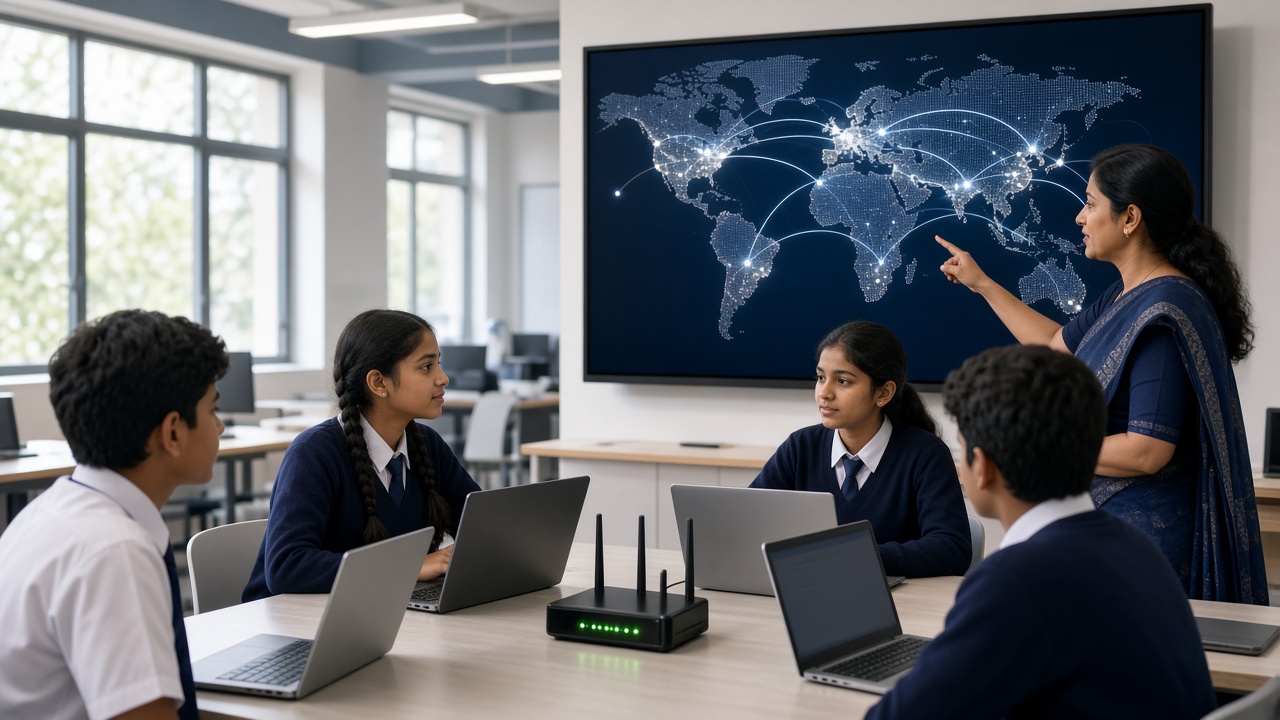
Messages, videos and web pages that cross the world in a blink: a plain-language look at how the internet really works, for students in Classes 6 to 12
A beginner-friendly guide to the internet for Indian school students, parents and teachers: what the internet is and why it is called a network of networks, how data travels in small packets, what IP addresses and routers do, how DNS works like a phonebook for websites, the difference between servers and clients, what happens when a web page loads, including HTTP, HTTPS and the padlock, how Wi-Fi, mobile data and fibre connect us, the undersea cables that link countries, how the cloud fits in, safe and responsible use, a pass-the-packet classroom activity and FAQs.
Introduction
You send a message to a friend, watch a video lesson or search for a homework answer, and it all happens in seconds. This guide explains how the internet works in simple steps for students in Classes 6 to 12 and the parents and teachers helping them.
What is the internet?
The internet is a giant network of networks. Home Wi-Fi, a school lab and a mobile company's network are separate networks, and the internet links them so any connected device can talk to any other.
For this to work, every device follows the same rules, called protocols. Two important ones are IP, the Internet Protocol, which handles addresses, and TCP, the Transmission Control Protocol, which makes sure data arrives complete and in the right order.
Packets: sending data in small pieces
When you send a photo, it is not sent as one big block. It is broken into many small pieces called packets. Each packet carries a part of the data plus a label showing where it came from and where it is going.
Packets can take different routes and arrive out of order. The receiving device uses the labels to rebuild them, and if one goes missing, TCP asks for it again. This lets many people share the same cables at once.
IP addresses: every device needs an address
Just as a letter needs a postal address with a PIN code, every device on the internet needs an IP address. An older style, IPv4, looks like four numbers separated by dots, such as 192.168.1.10. Because these were running out, the newer IPv6 uses much longer addresses.
Your home router gives each device a local address, while your internet provider gives the router an address the rest of the internet can reach.
Routers: the traffic police of the internet
A router is a device that receives packets and decides where to send them next, a bit like traffic police directing vehicles at a busy junction. The Wi-Fi box at home is a small router.
A packet may pass through many routers, each moving it closer to its destination. If one path is busy or broken, packets can often take another route.
DNS: the internet's phonebook
People remember names like sheepbyte.com, but computers need IP addresses. The Domain Name System, or DNS, works like a phonebook: your device asks a DNS server for the address of a website name, gets the IP address back, and then connects to it.
This lookup usually takes a fraction of a second, and devices remember recent answers.
Servers and clients
A server is a computer that stores and shares information or services, such as web pages, videos or email. A client is the device asking for that information, such as your phone, laptop or the browser running on it.
Servers usually sit in data centres with steady power, cooling and fast connections. Much of the cloud runs on servers like these, as our guide at sheepbyte.com/blog/what-is-cloud-computing-guide-school-students-india explains.
What happens when a web page loads
When you type a website address and press Enter, your browser first uses DNS to find the server's IP address. It then sends a request to that server using HTTP, the Hypertext Transfer Protocol. The server replies with files such as HTML, CSS, JavaScript and images, and your browser puts them together into the page you see.
Most websites now use HTTPS, the secure version of HTTP. It encrypts data between your browser and the website, so others cannot easily read or change it. The padlock shows the connection is encrypted, but it does not prove a website is honest, so check you are on the right site. To start building your own pages, see sheepbyte.com/blog/web-development-for-school-students-beginners-guide-india.
Wi-Fi, mobile data and fibre
Wi-Fi uses radio waves to connect your device to a nearby router, which connects to the wider internet through your provider.
Mobile data, such as 4G and 5G, uses radio signals between your phone and mobile towers. Fibre broadband uses thin strands of glass that carry data as pulses of light, giving fast, reliable connections, often with Wi-Fi spreading the signal inside the house.
Undersea cables: how countries are connected
When you open a website hosted in another country, your data may travel through cables laid on the ocean floor. These undersea cables contain optical fibres and carry most of the internet traffic between continents.
India connects to the rest of the world through several undersea cables that land at coastal cities such as Mumbai and Chennai.
The internet and smart devices
Smart speakers, cameras and sensors in farms and factories also go online. This is the Internet of Things, explained at sheepbyte.com/blog/what-is-iot-beginners-guide-school-students-india.
Using the internet safely and responsibly
Use strong, different passwords and never share them or OTPs. Think before clicking links, and check the website address before entering details.
What you post can stay online for a long time. Be kind, respect privacy and tell a parent or teacher if something worries you. More tips are at sheepbyte.com/blog/cyber-safety-kids-coding-ai-india.
Classroom activity: pass-the-packet game
Cut a short sentence into numbered word cards with sender and receiver names, to act as packets. Some students act as routers and pass them along different paths to the receiver, who rebuilds the sentence using the numbers. Remove a card and discuss how the receiver could ask for it again, like TCP.
Frequently asked questions
Q: Who owns the internet? A: No single person or company owns it. It is many networks, run by different organisations, that follow shared rules.
Q: Is the internet the same as the World Wide Web? A: No. The internet is the network itself; the web is one service on it, alongside email and video calls.
Q: Is this topic part of the school syllabus? A: India's National Education Policy 2020 encourages experiential learning and digital awareness, and many schools teach networking basics in computer science or ICT. What is covered varies by board and school, so check with your school or the official board website for current information.
Learn with SheepByte
SheepByte is an AI and robotics education company based in Udaipur, Rajasthan, working with schools and students. Our programmes include AI Learning, Coding Bootcamp, Drone Technology, Innovation Club, Robotics Lab and STEM Integration, all built around making real projects. We also set up robotics labs in schools and run workshops in Jaipur, Delhi and online.
To bring hands-on coding and internet basics to your school or help your child take their first steps in technology, write to contact@sheepbyte.com or call or WhatsApp +91 75975 60225.


