
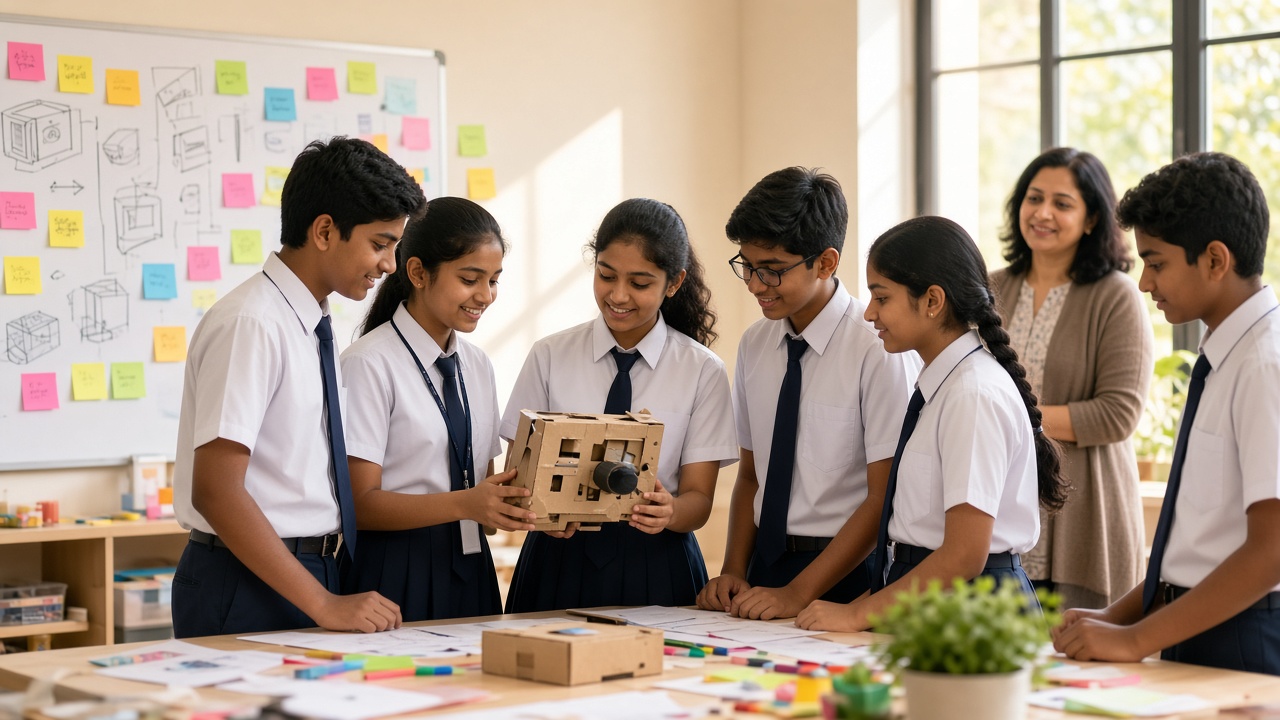
Empathise, define, ideate, prototype and test explained simply for students, teachers, principals and parents
A practical guide to design thinking for school students: the five steps of empathise, define, ideate, prototype and test, a worked classroom example, low-cost materials, tips for teachers and common mistakes.
Introduction
Every school has small problems students notice before adults do: a crowded water cooler at break, a lost-and-found box nobody checks. Design thinking gives students a simple, step-by-step way to turn those everyday annoyances into ideas they can build and test. This guide is for teachers, principals, parents and students from roughly Class 4 to Class 10, and all it needs is cardboard and sticky notes.
What is design thinking?
Design thinking is a problem-solving approach that starts with people. Instead of asking "What can I make?", students ask "Who has this problem, and what do they really need?"
The approach grew out of the way designers and engineers have long worked, and has since spread to businesses and schools worldwide. A popular classroom model uses five steps: empathise, define, ideate, prototype and test. Students often loop back when they learn something new, and that is normal.
Step 1: Empathise - understand the people
In this step, students observe, ask questions and listen. The goal is to understand the experience of the people facing the problem, called users, before suggesting a fix.
Good questions are open, such as "What is the hardest part of break time?" Students write what they see and hear on sticky notes, one idea per note, without judging yet.
Step 2: Define - name the real problem
Next, students group their sticky notes, look for patterns and write one clear problem statement. A useful format is: "[User] needs a way to [need] because [insight]."
For example: "Class 5 students need a way to fill their bottles quickly at break because everyone reaches the water cooler at the same time." A sharp statement stops the team solving the wrong problem.
Step 3: Ideate - generate many ideas
Now students brainstorm as many solutions as possible. Quantity matters more than quality here, and wild ideas often spark practical ones.
Set a ten-minute timer, put one idea on each note and keep one rule: no criticism. Then the team votes with ticks to choose one or two ideas.
Step 4: Prototype - build it quickly and cheaply
A prototype is a rough, early model that lets others see and react to an idea. It does not need to work perfectly.
Low-cost materials work well: cardboard, chart paper, sticky notes, sketch pens, ice-cream sticks, tape and old bottles. Some ideas suit a role-play or poster instead. Keep building time to around 20 to 30 minutes so students do not get attached to one version.
Step 5: Test - learn from real users
Students show the prototype to their users, watch how they use it and ask what works and what is confusing.
Testing usually sends the team back to an earlier step. A prototype that "fails" is still useful if the team learns from it.
A worked classroom example: the crowded water cooler
Empathise: A Class 6 team watches the water cooler for two break times and asks classmates about it. They notice most students arrive in the first few minutes and some leave without water.
Define: "Students need a way to get water during break without long waits, because every class is released at the same moment."
Ideate: Ideas include staggered break bells, a bottle-filling rota by section, floor markings for two queues and a reminder to fill bottles before break.
Prototype: They make cardboard floor arrows and a paper rota chart.
Test: With their teacher's permission, they try both for a few days, collect feedback and adjust the chart, then share their findings with the teacher.
How design thinking connects to coding, robotics and AI
Design thinking gives tech projects a real purpose. When students empathise and define the problem before coding or wiring, projects become more thoughtful than "build anything".
An older team might later prototype a queue signal on a micro:bit or a sensor-based counter on Arduino. In AI projects, empathy helps students ask who a tool might leave out. Innovation Clubs are a natural home for this, because they give students time to move through all five steps.
Tips for teachers running a first session
Start with a small, familiar school problem, such as the lost-and-found or library returns. Keep teams to four or five students with roles such as note-taker and timekeeper.
Plan two or three periods so students can test and improve. Ask questions instead of giving answers, and celebrate learning, not just polished prototypes.
India's National Education Policy 2020 encourages experiential and inquiry-based learning, and design thinking is one practical way to bring that into classrooms, though each school and board decides how it fits their curriculum.
Common mistakes to avoid
Skipping empathy: Teams that jump to building often solve a problem nobody has.
Picking a problem that is too big: "Fix pollution" is hard to test; "reduce litter near the canteen" is manageable.
Over-polishing the prototype: Decorating for days leaves no time to test.
Letting adults take over: Adults should guide with questions, not answers.
Treating feedback as failure: User criticism improves the next version.
Frequently asked questions
Q: What age is right for design thinking? A: Students from around Class 4 can follow the steps with simple problems and guidance. Older students can add coding or electronics.
Q: Do we need a lab or special equipment? A: No. Cardboard, sticky notes, sketch pens and tape are enough to start.
Q: Can parents try this at home? A: Yes. Pick a household problem, such as shoes piling up by the door, and follow the same steps together.
Q: Is design thinking only for science or computer classes? A: No. It works across subjects, from social science projects to class events.
Bring design thinking to your school with SheepByte
SheepByte is an AI and robotics education company based in Udaipur, Rajasthan. Through our Innovation Club program, students practise design thinking on real problems and turn their ideas into prototypes, and our STEM Integration program helps teachers weave hands-on problem-solving into everyday subjects. We also run AI Learning, Coding Bootcamp, Drone Technology and Robotics Lab programs, offer workshops in Jaipur, Delhi and online, and help schools set up robotics labs.
If you want to start design thinking sessions or an Innovation Club at your school, write to support@sheepbyte.com or visit sheepbyte.com.


