
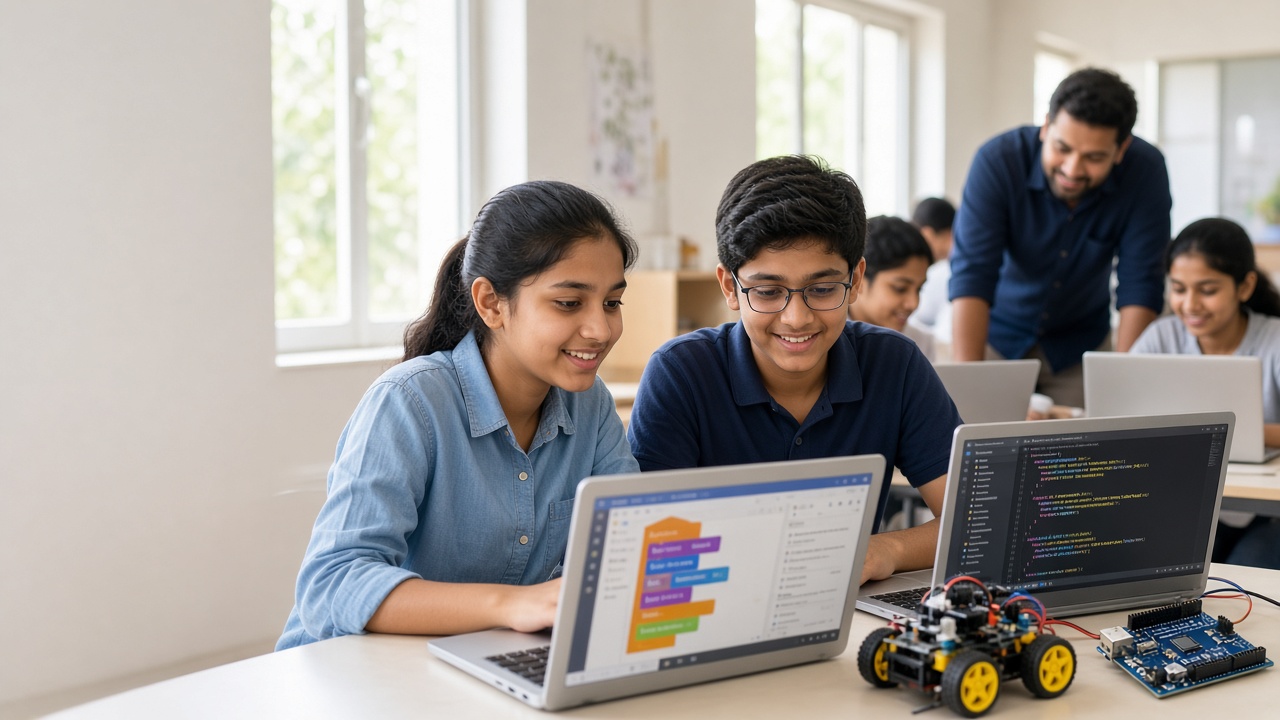
A good coding bootcamp ends with a project your child built and can explain—not just a certificate
A practical guide for Indian parents and students on coding bootcamps—formats, what kids learn by class, how to judge quality and what to ask before enrolling.
Introduction
Every school holiday, Indian parents see ads for coding bootcamps for school students. The promises sound exciting, but it is not always clear what a child will actually do, or how one programme differs from another.
This guide is for parents and students from roughly Class 5 to 12, and for principals who want to suggest good options to families. It explains what a school-student bootcamp is, the common formats, what children usually learn at each stage, how to judge quality and how to keep the learning going afterwards.
What a coding bootcamp for school students is
A coding bootcamp is a short, focused programme in which students learn by building working projects over consecutive days or a few weekends. Regular coding classes usually meet once or twice a week for months and move at a slower, steady pace.
Both have value. Weekly classes suit long-term skill building. A bootcamp gives concentrated time to finish something real, such as a game, a website or a small gadget, which can spark interest quickly.
Common bootcamp formats in India
Holiday bootcamps run during summer, Diwali or winter breaks, often for one to three weeks with daily sessions of a few hours.
Weekend bootcamps spread the same kind of learning across several Saturdays and Sundays, which works well during the school term.
Intensive or residential camps pack more hours into fewer days. They suit older, motivated students but can be tiring for younger ones.
Online or offline? Online bootcamps remove travel and open access to mentors in other cities. Offline bootcamps make hands-on hardware such as Arduino kits easier and keep children more engaged with peers.
What children usually learn, by age band
Classes 5–6. Block-based coding in tools such as Scratch, where children snap together instructions to make animations, stories and simple games. The focus is on sequences, loops and conditions.
Classes 7–8. Bigger Scratch projects, a first step into Python, and basic web pages with HTML and CSS. Some bootcamps add Arduino with block coding so children see code control real lights and sensors.
Classes 9–10. Python fundamentals such as variables, lists and functions, plus web basics with a little JavaScript and Arduino programming with sensors and motors.
Classes 11–12. Deeper Python, working with data, and beginner introductions to AI concepts like training a simple model. Python is also used in CBSE's senior Computer Science and Informatics Practices courses, so this stage can support schoolwork too.
What a good bootcamp day looks like
A well-planned day usually starts with a short warm-up or recap, followed by a brief demonstration of one new idea. Most of the time is then spent building, with mentors moving between students, asking questions and helping them debug rather than typing the answer for them.
Good bootcamps include screen breaks, unplugged activities and a slot where students share what they made. By the final day, each child should have at least one finished project to present to family.
Signs your child is ready
A child is likely ready if they enjoy puzzles, games or building things, ask how apps and gadgets work, and can concentrate on a task for around 30 to 45 minutes.
Top marks in maths are not required; interest and patience matter more. If a child is unsure, a short trial class is a low-pressure way to find out.
How to evaluate a coding bootcamp
Curriculum. Ask for a day-wise plan with clear learning goals for your child's age, not a vague list of buzzwords.
Batch size and attention. Smaller groups or a good mentor-to-student ratio mean each child gets help when stuck.
Project-based outcomes. Look for programmes where every student builds and presents their own project, not just copies along with a video.
Mentor quality. Ask about mentors' experience teaching children, not just their technical background.
Demo or trial. A trial session shows the teaching style before you commit.
Safety and screen-time balance. Check for breaks, offline activities, safe online platforms and, for offline camps, supervision and safe handling of electronics.
Transparent pricing. All costs, including kits, materials and any certificates, should be stated clearly upfront in writing.
Questions to ask before enrolling
What will my child build by the end, and can we see examples of past student projects? How many students are in each batch, and how many mentors? Are sessions live and interactive, or mostly recorded? Is any equipment or kit needed, and is it included or extra? What happens if my child misses a session? How will you share progress with parents? What are the options for continuing after the bootcamp ends?
How to keep the momentum going afterwards
The weeks after a bootcamp matter most. Encourage your child to extend their final project by adding a new level, a feature or a sensor. Set aside a regular weekly time for coding, even an hour.
Joining a school coding club, an innovation club or a weekly class helps children keep learning with peers. Policy frameworks such as NEP 2020 encourage computational thinking and coding in school, so many schools are open to student-led projects.
Frequently asked questions
Q: Is a bootcamp better than weekly coding classes? A: Neither is always better. A bootcamp builds quick momentum and a finished project, while weekly classes build skills steadily. Many families use both.
Q: Can my child join with no coding experience? A: Yes. Good beginner bootcamps start from the basics and group students by age and experience.
Q: Is an online bootcamp effective for younger children? A: It can be, if sessions are live, interactive and short, with a parent nearby. Children in Classes 5–6 often benefit from hands-on offline sessions too.
Q: Will a certificate help with admissions? A: A certificate alone carries limited weight. A portfolio of real projects your child can explain is far more meaningful.
Join SheepByte's Coding Bootcamp
SheepByte is an AI and robotics education company based in Udaipur, Rajasthan. Our Coding Bootcamp helps students learn by building real projects, and our AI Learning, Robotics Lab, Drone Technology, Innovation Club and STEM Integration programs let them keep growing afterwards. We run workshops in Jaipur, Delhi and online, and help schools set up robotics labs.
To ask about upcoming bootcamp batches for your child, class or school, email support@sheepbyte.com or visit sheepbyte.com.


