
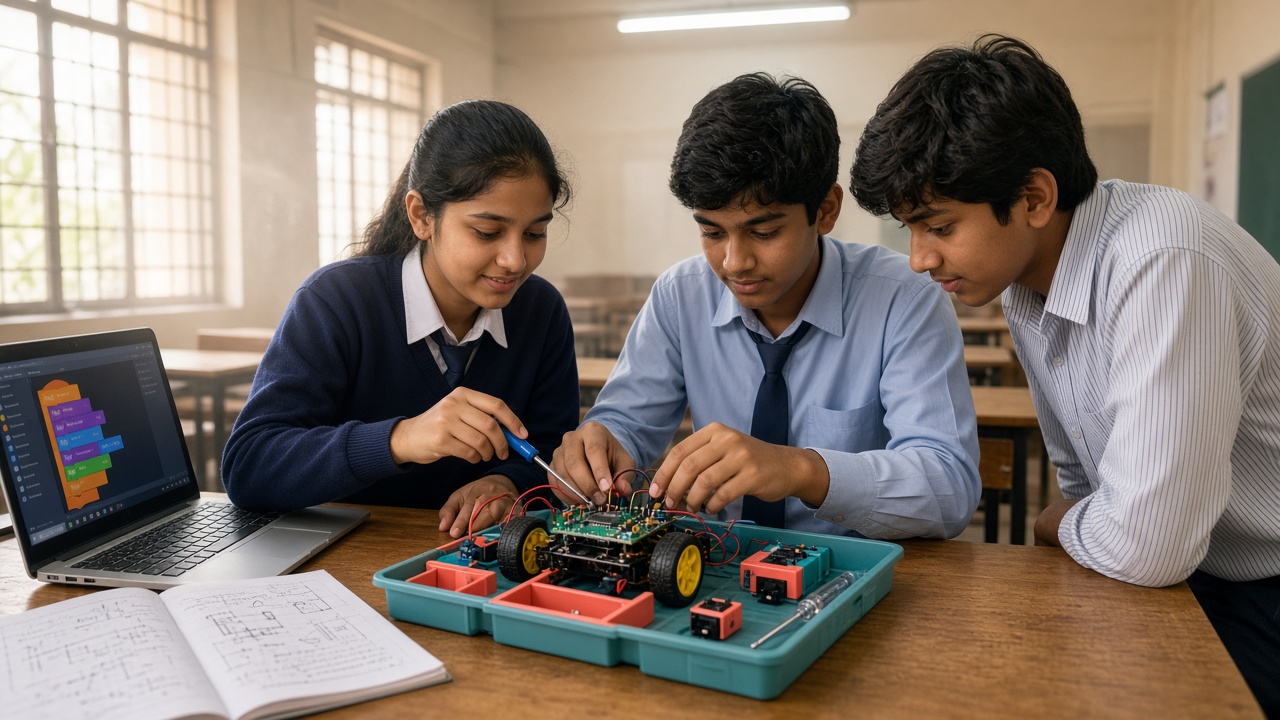
Match the kit to age, mentors, and shared use—not the loudest demo video
A practical buying guide for Indian parents, principals, and activity coordinators choosing robotics kits for Class 6–8—categories, criteria, safety, and red flags.
Introduction
Parents and principals in India often face a crowded shelf of robotics kits for Class 6–8 with little clear advice on what fits middle school. Marketing videos show polished robots; classrooms need kits students can assemble, debug, and explain. Choose by age fit, mentoring load, software support, safety, and shared versus personal use—not a single “best” brand.
This buying guide for Indian parents, principals, and activity coordinators covers Class 6–8 needs, kit categories, a criteria checklist, software-versus-hardware balance, shared versus personal kits, safety and red flags, and school or club fit. It is not a full lab checklist or a list of project ideas.
What Class 6–8 students need from a kit
Middle-school students can usually follow multi-step instructions, type a little, and work in pairs when mentored. They need kits that expose sensors, motors, and simple logic without advanced electronics on day one—with safe parts, durable connectors, and software mentors already know how to launch.
The goal is cause and effect: change a block or a few lines of code, see the robot respond, fix one bug, and explain what happened. Pre-loaded demos or sealed shells teach less than kits where students can see and reconnect sensors. Frameworks such as NEP 2020 generally encourage hands-on STEM learning—treat that as encouragement to choose operable kits, not a fixed national shopping list.
Kit categories to compare (not brand rankings)
Block-based floor robots. Rolling or line-following robots driven by visual blocks or simple apps. Good for early Class 6 confidence. Check charging, spare wheels, and whether coding goes beyond one app puzzle pack.
Sensor starter kits. Controller, cables, common sensors (light, distance, sound, temperature), plus motors or buzzers. Strong for Class 6–8 when manuals list clear first builds. Prefer labelled ports and replaceable jumper wires.
Microcontroller beginner boards. Entry boards with breadboards or snap connectors and a block-to-text path. Suitable when students already have some coding habit. Avoid boards that assume soldering as the first step.
Shared classroom kits. Larger trays for rotation—extra sensors, storage, and teacher guides. Confirm how many learners can work at once and whether spare parts are sold separately.
Selection criteria checklist
Age and reading fit. Can a Class 6–8 student follow the first project guide with light mentor help? Are icons and port labels clear?
Software and devices. Does the kit work offline or under school Wi-Fi rules? Does it support the OS you already use? Is there a block interface with an optional text step later?
Mentor load. Can one teacher supervise a small batch without vendor staff every week? Are setup steps under fifteen minutes?
Durability and spares. Can you buy extra cables, sensors, and batteries locally or from the same seller?
Lesson path and docs. Is there a progression from first blink or move to a short demo project? Prefer clear written guides over video-only instructions that fail when internet is slow.
Software versus hardware balance
Hardware without coding becomes toy time; coding without physical feedback can feel abstract. A useful Class 6–8 kit links both: change logic, observe motors or LEDs, then iterate. If your school already runs block coding or a Coding Bootcamp pathway, choose kits that plug into that habit rather than a new app ecosystem every term.
If students are new to coding, start software-first, then add a shared sensor kit once they can explain loops and events. If they already finish small software projects, a beginner board or sensor starter keeps motivation high. Skip advanced industrial kits bought only for a neighbouring school’s showcase.
Shared kits versus personal kits
Shared kits stretch school and club budgets and teach turn-taking, pack-up, and peer coaching. Use labelled trays, a sign-out sheet, spare cables, and a capped batch size so every pair gets hands-on time.
Personal kits suit home practice with parent supervision or a competition team with clear ownership. They are harder to standardise and easier to lose parts from. Many Indian schools do best with a small shared pool first, then optional personal kits after routines exist.
Safety checks and red flags
Safety. Prefer low-voltage USB or sealed classroom battery packs. Teach plug-in and pack-up before creative builds. Limit soldering, open lithium cells, sharp tools, and flying drones to trained mentors and approved spaces. Keep kits away from food and water; report frayed cables immediately.
Red flags. Sealed “magic” robots with no coding path. Proprietary tablets only. No spare parts list. Manuals that skip safety. Sellers who cannot explain warranty. Claims that one kit replaces teachers and curriculum. If every demo needs a specialist, it will not survive a normal school week.
How kits fit school periods and clubs
In a regular period, choose kits with fast setup and a twenty-to-thirty-minute micro-challenge. In an after-school or Innovation Club slot, allow longer builds and tray rotation. Appoint a teacher lead and student captains for setup and inventory.
Kits support STEM Integration and Robotics Lab journeys, but they are not the whole programme. Pair purchases with mentoring, a simple showcase, and software practice. SheepByte pathways—Coding Bootcamp, Innovation Club support, Robotics Lab setup help, and STEM Integration—help schools sequence learning before scaling hardware spend.
Frequently asked questions
Q: Should every Class 6–8 student own a personal kit? A: Not necessarily. Shared classroom kits often teach more per rupee when mentors and pack-up routines are strong. Add personal kits later for home practice or teams.
Q: Is a more expensive kit always better for middle school? A: No. Fit, documentation, spares, and a clear coding path matter more than price or social-media polish.
Q: Do we need a full robotics lab before buying any kits? A: No. A quiet room, power points, shared devices, and a few well-chosen starter kits can support early Class 6–8 learning. Grow toward a lab when demand and mentors are steady.
Q: How do parents evaluate a kit sold online? A: Check age guidance, box contents, software needs, spare parts, return policy, and whether the first project is doable without a specialist. Ask the school which platform they already use.
Learn with SheepByte
SheepByte is an AI and robotics education company based in Udaipur, Rajasthan. Our programmes—AI Learning, Coding Bootcamp, Drone Technology, Innovation Club, Robotics Lab, and STEM Integration—help schools and students learn through projects. We support robotics lab setup, run workshops in Jaipur, Delhi, and online, and help campuses choose age-fit kits that match mentoring capacity.
If you are choosing robotics kits for Class 6–8 or planning a school pathway, email support@sheepbyte.com or visit sheepbyte.com.


