From a blinking LED to a robotic arm: start small, build big
Ten beginner-friendly robotics projects with parts lists, learning goals, and ways to level up, plus troubleshooting tips for first-time builders.
Introduction
Looking for a first robotics project that is achievable, fun, and actually teaches something? Below are ten beginner-friendly ideas for school students, with what each one teaches, what you typically need, and ways to level up. Most use an Arduino-style microcontroller or a beginner robotics kit, but some can be done with block-based coding tools too.
Before you start: work with an adult or teacher for anything involving batteries, soldering, or mains electricity. Never connect circuits to mains power. Use low-voltage batteries or USB power, and keep a tidy workspace.
How to pick the right project
Choose a project that is a little challenging but not overwhelming. A good test: can you describe in one sentence what it will do, and can you split it into three small steps? If yes, you are ready.
The 10 projects
1. Blinking LED traffic light. What it is: Three LEDs (red, yellow, green) that switch in a timed sequence; You need: A microcontroller, three LEDs, resistors, jumper wires, a breadboard; You learn: Digital outputs, timing, and basic circuits; Level up: Add a button for pedestrians.
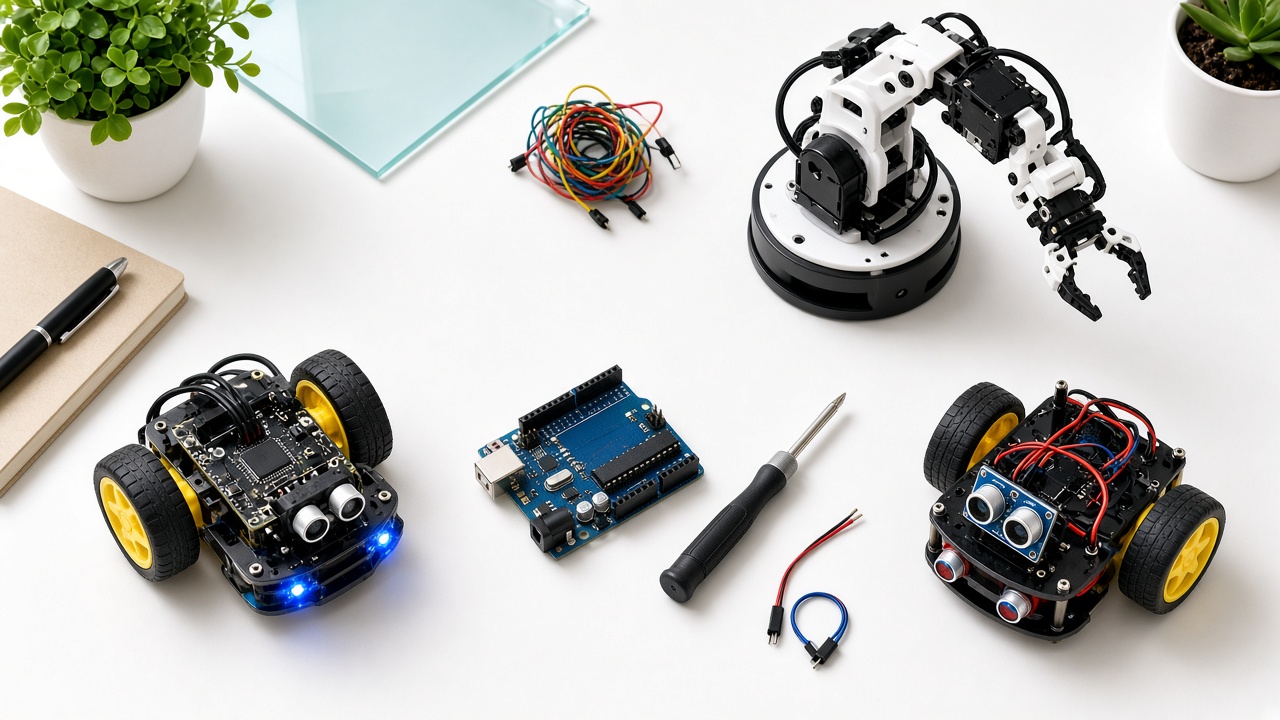
2. Obstacle-avoiding robot. What it is: A small wheeled robot that stops and turns when it detects something ahead; You need: A chassis, two motors, a motor driver, an ultrasonic distance sensor, a battery pack; You learn: Sensors, decision-making with if/else, and motor control; Level up: Make it choose the clearer direction by scanning left and right.
3. Line-following robot. What it is: A robot that follows a black line on a white surface; You need: Infrared line sensors, motors, a driver, a chassis; You learn: Reading sensor values and feedback-based steering; Level up: Tune the speed on curves and try a timed track challenge.
4. Automatic plant-watering system. What it is: A soil moisture sensor triggers a small pump when the soil is dry; You need: Soil moisture sensor, small water pump, relay or transistor driver, tubing; You learn: Analog input, thresholds, and real-world problem solving; Level up: Add an LCD to display moisture levels.
5. Smart dustbin. What it is: A bin lid that opens when a hand comes near; You need: Ultrasonic sensor, a servo motor, a small box or bin; You learn: Servo control and sensor triggers; Level up: Add an indicator that lights up when the bin is full.
6. Light-sensitive night lamp. What it is: A lamp that switches on in the dark and off in daylight; You need: A light-dependent resistor (LDR), LED, resistor; You learn: Analog sensing and automation logic; Level up: Make brightness change smoothly with the light level.
7. Bluetooth-controlled car. What it is: A small car you drive from a phone app; You need: A Bluetooth module, motor driver, motors, chassis, battery; You learn: Wireless communication and command handling; Level up: Add headlights and a horn controlled from the app.
8. Temperature and humidity monitor. What it is: A device that shows readings on a small display and warns when it gets too hot; You need: A temperature and humidity sensor, a display, a buzzer; You learn: Reading digital sensors, displaying data, and alerts; Level up: Log readings for a week and plot a graph on a computer.
9. Simple robotic arm. What it is: A small arm with servo joints that picks up light objects such as foam balls; You need: Several servos, a frame (cardboard, acrylic, or a kit), a controller, potentiometers for manual control; You learn: Mechanical design, servo angles, and coordination of multiple motors; Level up: Record and replay a sequence of movements.
10. Intruder alarm. What it is: A motion or distance sensor that sounds a buzzer when something passes by; You need: PIR or ultrasonic sensor, buzzer, LED, optional keypad; You learn: Event detection and alert logic; Level up: Add a password to disarm the alarm.
Learning better: planning, troubleshooting, and choosing by interest
How to make any project a better learning experience. 1. Plan on paper first. Sketch the circuit and write the steps in plain language. 2. Build in small stages. Test each part separately before combining them. 3. Keep a project diary. Note what worked, what failed, and what you changed. 4. Explain it to someone. Teaching a parent or classmate shows how well you understand it. 5. Share your work. Present it at a school exhibition or science fair.
Troubleshooting basics. Beginners often panic when a project fails. Try this order: Check power: are batteries charged and connected correctly?; Check wiring against your diagram, one connection at a time; Test sensors and motors alone with a tiny program; Add print statements to see the values your sensors report; Change only one thing at a time. Debugging is not a sign of failure. It is the real skill robotics teaches.
Choosing a project by interest. Love games and challenges? Try the line follower or obstacle avoider; Care about the environment? Try the plant waterer or smart dustbin; Enjoy gadgets? Try the Bluetooth car or robotic arm; Interested in security or safety? Try the intruder alarm; Like data? Try the temperature monitor and graph the results.
Frequently asked questions
Q: Which project is best for a complete beginner? A: The blinking LED traffic light or the light-sensitive night lamp. Both use few parts and teach the core idea of connecting code to a circuit.
Q: Do I need to know coding before starting? A: Basic coding helps, but many beginners learn alongside their first project. Start with example programs, change small things, and watch what happens.
Q: How long does a typical project take? A: Simple projects can take one or two sessions. More complex ones, like a robotic arm, may take several weeks. Go at your own pace and focus on understanding.
Build these projects with SheepByte
SheepByte is an AI and robotics education company based in Udaipur, Rajasthan. Our Robotics Lab, Coding Bootcamp, Innovation Club, and STEM Integration programs give students guided, hands-on project experience with mentors, and our Drone Technology and AI Learning programs offer paths for further exploration. We run workshops in Jaipur, Delhi, and online.
To join a workshop or ask about school programs, email support@sheepbyte.com or visit sheepbyte.com.